
A Facebook chatbot does more than just automate chats on Messenger; it becomes your round-the-clock digital assistant, handling everything from customer support to lead generation right on the world's biggest social network. Think of it as transforming your business page from a static profile into an interactive hub where your brand is always on, ready to talk.
Why Your Business Needs a Facebook Chatbot
Before we jump into the technical side of things, let's talk about the real-world impact. A Facebook chatbot isn't just a flashy gadget; it's a serious tool for connecting with customers on a platform they already use every single day. The goal isn't to replace human conversations but to enhance them, making sure no customer question is left hanging, no matter the time of day.
Imagine having the most reliable employee on your team—one who never sleeps, never takes a break, and can effortlessly juggle hundreds of conversations at once. That's what a chatbot delivers. This constant availability is exactly what modern consumers expect; they want answers now, not tomorrow.
Tap into a Massive, Engaged Audience
You just can't ignore the sheer scale of Facebook. It's a goldmine. In Poland alone, the user base is expected to reach 24.75 million people by mid-2025, which is almost 66% of the entire population. The biggest slice of that pie? Around 6.2 million users are aged 25-34, a prime demographic with real spending power. By setting up a chatbot, you're meeting this huge audience right where they're most comfortable.
Placing a chatbot on your Facebook page opens a direct, no-fuss line of communication. It removes friction. A potential customer can get all the info they need without ever leaving the Messenger app. That's a massive win compared to forcing them to navigate to your website or fill out a clunky contact form.
The Tangible Business Payoff
The benefits go way beyond just being convenient. Businesses that get this right see tangible results that show up on the bottom line. Here are a few ways a chatbot can be a game-changer:
- 24/7 Lead Qualification: Your bot can ask the right questions to qualify leads anytime, day or night. It gathers contact details and figures out what a customer needs, all automatically.
- Instant Customer Support: It handles the common questions—"What are your hours?", "Do you ship to my area?"—in a heartbeat. This frees up your human support team to focus on the trickier, more high-value problems.
- Personalised Customer Journeys: A smart chatbot can act as a personal shopper, recommending products or services based on a user's answers. This kind of tailored experience is fantastic for building genuine customer loyalty.
Integrating a bot turns your passive Facebook page into an active engagement machine. It’s the difference between having a digital storefront and having a friendly salesperson ready to greet every single person who walks in.
This quick overview just scratches the surface of what a chatbot can do for your business.
Key Benefits of a Facebook Messenger Chatbot
Here's a quick summary of the primary advantages your business gains by implementing a chatbot on Facebook Messenger.
| Benefit | Business Impact |
|---|---|
| Always-On Availability | Provides 24/7 customer service, capturing leads and answering queries even when your team is offline. |
| Instantaneous Responses | Meets modern consumer expectations for immediate answers, improving customer satisfaction and reducing bounce rates. |
| Cost Efficiency | Automates repetitive tasks, allowing you to handle a higher volume of inquiries without increasing headcount. |
| Improved Lead Generation | Actively engages visitors, asks qualifying questions, and collects contact information to build your sales pipeline. |
| Data Collection | Gathers valuable insights into customer preferences, common questions, and pain points to inform your business strategy. |
These benefits demonstrate how a chatbot is a strategic investment rather than just a tech novelty.
To really dig into its potential, it’s worth exploring the strategies for boosting growth and engagement with a personalized chatbot. For any modern business looking to improve customer satisfaction and drive more sales, a Facebook chatbot is no longer a "nice-to-have"—it's a must.
When you're ready to get started, you can find more details in our guide right here: https://www.voicetta.com/chatbot-on-facebook
Right, before we even touch the Voicetta AI platform, we need to get our hands dirty inside Facebook itself. This is the foundational work – building the digital bridge that will connect your Facebook Page to your new AI assistant. Getting this part right from the outset saves a world of headaches later on.
First stop: the Meta for Developers dashboard. Don't let the name intimidate you; you don't need to be a coder for this part. Think of this as the control room where you’ll create a new Facebook App. This 'app' isn't something people download; it's essentially an official ID for your bot within Meta's world. It's what gives Voicetta the secure handshake it needs to talk to Messenger for you.
This dashboard is where you'll manage everything related to your bot's connection.
When you're in there for the first time, it can look a bit busy. Just ignore the noise and focus on one thing: creating a new app. You'll want to select the "Business" app type, as that's what's designed for integrations like this.
Getting Your Business Page Ready
With your app created, we can shift our focus to your actual Facebook Business Page. This is the public face of your business, and we need to tell it to play nicely with our new bot.
There are a couple of common tripwires here. Make sure your page is actually published and visible to the public. More importantly, you absolutely must have administrator access. I've seen plenty of people get stuck because they only have an 'Editor' or 'Moderator' role, which just doesn't have the permissions needed to link up an external tool.
You'll also need to get comfortable with the page settings, particularly the sections for messaging. This isn't just a box-ticking exercise; you're preparing your main customer communication channel for its new automated co-pilot.
Why This Groundwork is Crucial in Poland
Setting up a Messenger bot isn't just a neat tech trick; it's a serious business move, especially in a market like Poland. As of early 2025, you could target around 18.7 million people on Facebook in Poland. That's a massive audience you can speak to directly.
A properly set up chatbot isn’t just a piece of software. It’s your 24/7 digital front desk on the very platform where a huge chunk of your potential customers are hanging out. Nailing the app and page settings means you can actually reach them.
And this isn't a static audience, either. The number of Facebook users in Poland grew by about 9.1% (that's 1.55 million people) between early 2024 and 2025. This highlights just how vital the platform remains. If you're curious, you can read more about Facebook's relevance in Poland to see the full picture. Getting these initial steps right is your ticket to tapping into that potential.
Connecting Voicetta AI to Your Facebook App
Alright, you've laid the groundwork on the Facebook side of things. Now for the exciting part: plugging in the brains of the operation. This is where we introduce your newly minted Facebook App to the Voicetta AI platform.
Don't worry, this isn't about getting lost in lines of code. It's more like a digital handshake, where we'll pass a few key pieces of information from one dashboard to the other. Think of it as giving Voicetta the secure keys to your new shopfront on Messenger.
To do this, we need to grab two critical items from the Meta Developer Dashboard: your App ID and your App Secret. These act like a unique username and password that let Voicetta prove to Facebook that it’s your authorised chatbot.
Finding Your App Credentials
Let's head back to your Meta for Developers dashboard. Click on the app you just created. On the left-hand navigation menu, look for ‘Settings’ and then click on ‘Basic’. This is where the magic happens.
You'll see your App ID right there at the top. The App Secret is hidden for good reason—it’s sensitive stuff. You’ll need to click the 'Show' button and probably pop in your Facebook password again to reveal it.
Your App Secret is as confidential as your bank password. Never, ever share it in public places or through unsecured emails. It grants powerful access to your app.
Got them? Great. Copy both the App ID and the App Secret. Now, hop over to your Voicetta AI account and navigate to the Facebook Messenger integration section. You'll find two empty fields just waiting for you to paste these values in, creating that first secure link.
This is the very setup that enables the smooth customer journey you see below. It all starts with the connection you're building right now.
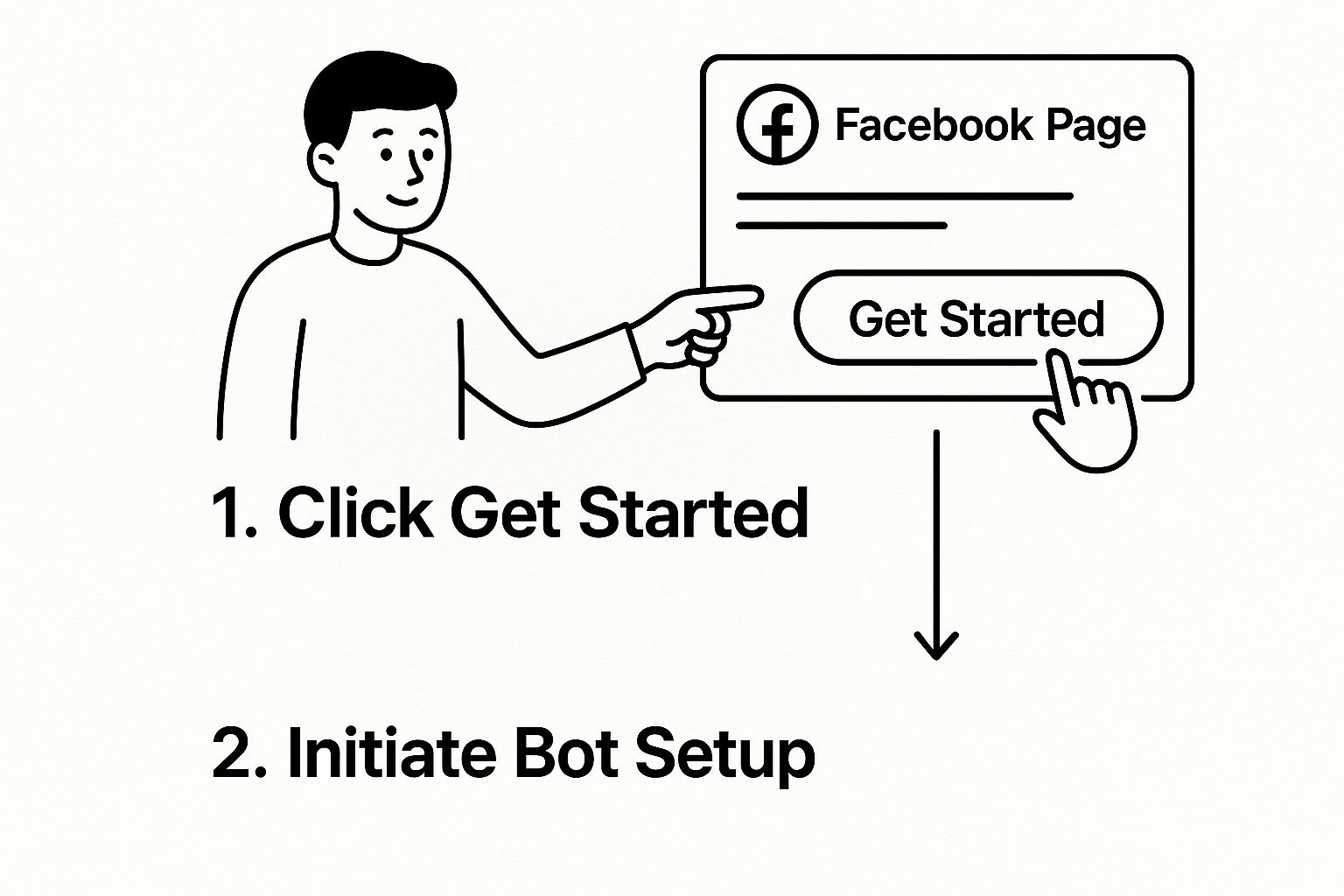
As the graphic shows, that entire automated conversation begins with a simple, single action from a customer. That's why getting this backend part right is so important.
Opening the Lines of Communication
With that initial connection established, we just need two more pieces to get the conversation flowing: the Page Access Token and the Webhook.
- Page Access Token: This is a special key that authorises Voicetta AI to send messages as your Facebook Page. You’ll generate this from inside your Meta dashboard, under the ‘Messenger’ product settings.
- Webhook URL: This is a unique web address that Voicetta gives you. You'll copy it from Voicetta and paste it into your Facebook App settings. It acts like a private post box—anytime someone messages your Page, Facebook delivers that message directly to this URL for Voicetta to handle.
Nailing these two settings is what truly brings your chatbot to life. This is the very mechanism that powers the instant, back-and-forth chats that your customers are expecting.
This kind of setup has been a massive advantage for businesses, particularly in e-commerce. In Poland, for instance, Facebook Messenger chatbots have been a staple of the online retail scene since the mid-2010s. They evolved from clunky, scripted tools into the intelligent AI assistants we see today. Between 2015 and 2022, the vast majority of Polish e-commerce bots ran on Facebook Messenger, simply because the user base was huge and the integration was straightforward.
By meticulously linking these credentials and channels, you're building a solid, secure pipeline for communication. When a customer reaches out, their message is instantly and securely passed to Voicetta, which then crafts an intelligent reply and sends it straight back.
If you're interested in the bigger picture and want to explore the strategy behind all this, take a look at our comprehensive guide on https://www.voicetta.com/how-to-implement-a-chatbot.
Designing Conversations That Feel Human
A smart bot is only as good as the conversations it can hold. Now that you've handled the technical setup, it's time to shift gears from integration to strategy. This is the fun part—where you turn your chat bot facebook presence from a simple responder into a genuinely helpful brand ambassador.
Inside the Voicetta AI interface is where you'll start mapping out natural, effective conversation flows. This isn’t about building rigid, robotic scripts that corner users into dead ends. It's about thinking ahead, anticipating what your audience really needs, and guiding them to answers in a way that feels completely effortless.
First, Give Your Bot a Personality
Before you write a single line of dialogue, you have to decide who your bot is. Is it a friendly and casual guide? A formal and efficient assistant? Something else entirely? This personality needs to be a direct extension of your brand’s voice. Getting this wrong can feel really jarring for anyone interacting with it.
A boutique clothing store's bot, for instance, might use emojis and a cheerful tone. On the other hand, a financial advisory firm’s bot would probably be more direct and professional. Start by defining these key traits:
- Tone of Voice: Casual, formal, witty, or empathetic?
- Greeting Style: How does it say hello? "Hey there!" lands very differently from "Good afternoon, how may I assist you?"
- Use of Emojis/GIFs: Does this fit your brand and the people you're talking to?
Once you nail down this framework, you can keep the bot’s voice consistent across every single interaction. That consistency is what builds trust and makes the whole experience feel solid.
The goal is to create a bot that people want to talk to. A well-defined personality makes the interaction feel less like using a machine and more like messaging a helpful representative of your company.
Teach Your Bot the Basics
The real muscle behind your Voicetta AI bot is its knowledge base. The best place to start is by feeding it the most common questions your business gets every day. Just think of the top 10-20 queries your team already answers constantly via email or phone.
This is all about training the AI on your company’s specific information. In Voicetta, this is straightforward—you can upload documents, point it to website URLs, or manually add your own question-and-answer pairs.
Building Your Initial Q&A Set
I always recommend starting with these common topics to automate replies:
- Business Operations: What are your opening hours? Where are you located?
- Product/Service Details: How much does X cost? Do you offer Y service?
- Policy Questions: What is your return policy? Do you offer international shipping?
This initial training ensures your chat bot facebook can immediately handle a huge chunk of basic queries. That instantly frees up your human team to focus on the more complex stuff.
For a deeper dive into more advanced conversational designs, check out our insights on creating an effective Voicetta AI chatbot. Getting these foundational flows right creates an experience that feels genuinely helpful and smooths out customer friction from the very first message.
Testing and Launching Your Chat Bot
Alright, we’re on the home straight. Your bot is built, connected, and has a personality. But before you unleash it on the world, we need to talk about the single most important step: testing.
This isn't just a quick "does it work?" check. Think of this as your final quality control. Skipping this phase is a recipe for disaster, leading to confused users, a damaged reputation, and you frantically trying to fix a broken bot while it’s live. Trust me, you don’t want that stress.
The goal here is to put yourself in your customer's shoes. You need to try and break it. Ask it weird questions. Use slang. Deliberately misinterpret its prompts. A great bot can handle the chaos of real human interaction without crumbling.
Thankfully, Facebook gives us a fantastic, safe way to do this. Inside your App settings, you can add specific people as 'Testers'. This creates a private sandbox environment where they (and you) can poke, prod, and test the bot to its limits without a single real customer ever seeing the work-in-progress.
Conducting a Thorough Test Drive
Your main focus should be the conversation itself. Does it flow naturally? Does the bot guide people smoothly, or are there awkward dead ends where the chat just… stops?
Here’s a practical checklist I personally run through before any bot I build goes live. It’s saved me from countless headaches.
- Trigger Word Accuracy: Test every single keyword you've set up. Does typing "opening hours" actually bring up your hours? What about common variations like "when do you open" or even just "hours"? Check them all.
- Response Read-Through: Seriously, read every single bot response out loud. You'll be amazed at how many typos or clunky phrases you catch. Make sure the tone feels right and matches the personality you're going for.
- Button and Link Check: Click every single button. Follow every single link. A broken link is an instant trust-killer and a dead end for your customer's journey.
- The Fallback Test: This one's crucial. Type in something you know the bot won't understand. Does the fallback message kick in gracefully? Does it offer a clear next step, like contacting a human?
I always think of this as a dress rehearsal. Your job is to find all the forgotten lines and technical glitches behind the curtain so that when the audience arrives, the performance is flawless.
Once you’ve hammered out all the bugs and the conversation feels smooth, you're ready for the final step.
Pre-Launch Testing Checklist
Before hitting the big "go live" button, running through a structured checklist ensures you haven't missed anything critical. Here's a table I use to formalise the process.
| Test Area | What to Check | Expected Outcome |
|---|---|---|
| Welcome Message | Does it appear instantly for a new user? | The welcome message triggers immediately and clearly states what the bot can do. |
| Core Keywords | Test primary and secondary keywords (e.g., "price," "pricing," "cost"). | The bot provides the correct, consistent answer for all variations. |
| Menu & Buttons | Click every persistent menu item and quick reply button. | All buttons lead to the correct conversation flow or URL without any errors. |
| Error Handling | Type gibberish or an unsupported query. | The bot's custom fallback message appears, offering helpful next steps. |
| Human Handover | Trigger the "talk to a person" command. | The bot provides clear instructions for contacting a human and pauses its own responses. |
| Mobile vs. Desktop | Test the full experience on both a phone and a computer. | All elements display correctly, and the user experience is consistent on both platforms. |
This checklist isn't exhaustive, but it covers the main points of failure I've seen over the years. Getting a green light on all these areas means you're in a very good place.
Submitting for Review and Going Live
With your testing complete and your confidence high, the last hurdle is the official review by Meta for Developers. You’ll need to formally submit your app for approval through their dashboard. This is simply Facebook’s way of ensuring your bot adheres to their platform policies.
When you submit, be ready to provide a link to your privacy policy and write clear instructions for the reviewers on how to test your bot's main features. Don’t worry, it's pretty straightforward. Approval times can vary, but a well-built, thoroughly tested bot usually gets the green light within a couple of business days.
Once you get that exciting approval notification, it's time for a mini-celebration! All that's left is to go into your Facebook Page settings, make the bot your primary contact, and officially launch. Your chat bot facebook is now live and ready to help your customers 24/7.
Frequently Asked Questions
Jumping into automated messaging for the first time usually sparks a few questions. I've been there. Let's walk through some of the most common ones that pop up when you're setting up your first chat bot facebook presence. I'll give you some straight, practical answers based on my experience.
Do I Need Coding Skills for This?
Nope, not at all. This is probably the biggest myth holding people back. Modern platforms like Voicetta AI are built from the ground up as no-code tools. You won't have to touch a single line of programming, I promise.
It’s all done visually. You use a simple drag-and-drop interface to map out conversations, upload your business documents to train the AI, and link it all to Messenger through a straightforward, guided process. Think of it like building with digital Lego bricks – all the complex engineering is already done for you.
How Long Does Facebook Approval Take?
This can vary, but honestly, it's usually pretty fast. I've seen most bots get reviewed and approved anywhere from a few hours to a couple of business days.
My best advice for a quick approval? Polish your bot before you submit it. Make sure you have a clear privacy policy, an easy way for users to reach a human, and that the bot actually does what you say it does. Adding detailed test notes in your submission also helps the Facebook review team understand what they're looking at.
A little bit of prep work here really does make a difference. Facebook just wants to see that you're creating a good experience for their users. If your bot is genuinely helpful and transparent, you’ll sail through the process.
Can My Facebook Bot Handle Sales and Payments?
Absolutely. A modern chat bot facebook can definitely become part of your sales funnel. This usually works by integrating the bot with your e-commerce platform, like Shopify, or a payment processor like Stripe.
Think of the bot as a personal shopper. It can guide a customer through your products, help them find what they need, and collect the details. From there, it can smoothly hand them off to a secure checkout page to finalise the purchase. Some of the more advanced setups can even handle the entire transaction right there inside the Messenger chat.
What Happens if the Bot Gets Confused?
This is a huge one, and you absolutely need to plan for it. A good chatbot never leaves a user stranded in a dead-end conversation. When it doesn't know the answer, it needs a reliable fallback plan.
The golden rule is to always provide a clear escape hatch to a human. With Voicetta AI, it's easy to set this up. When the bot gets stuck, you can have it do one of a few things:
- Offer a direct transfer to a live chat with one of your team members.
- Automatically create a support ticket with the user's question.
- Provide contact details, like a phone number or email, for your support desk.
This way, even when the automation hits its limit, your customer still gets the help they need. For a deeper dive on this, check out our guide on how to automate customer support the right way.
Ready to build a chatbot that never misses a customer interaction? With Voicetta, you can deploy a 24/7 AI assistant that qualifies leads, books appointments, and integrates with your existing systems. Stop losing opportunities and start having meaningful conversations around the clock. Start your journey with Voicetta today!