
Let’s be honest, a chatbot en facebook is more than just a bit of fancy automation. Think of it as your business’s digital front desk, always on, ready to greet visitors, answer questions, and guide potential customers, 24/7. It’s an automated assistant living inside Facebook Messenger, designed to make your life easier and your customer service seamless.
Why Bother with a Facebook Chatbot?
Before we get into the nuts and bolts of setting one up, let’s talk about why this is such a powerful move. Your Facebook page isn't just a static billboard; it’s a living, breathing space where conversations happen. A chatbot turns that space into an automated engagement powerhouse.
Picture this: it's 11 PM, and someone stumbles upon your page. They have a burning question about one of your products. Without a bot, they'd send a message and likely forget they ever asked by the time you're back in the office. But with a chatbot? They get an instant, helpful reply that could guide them straight to a purchase or at least capture their details for a follow-up. That kind of speed isn't a bonus anymore; it's what people expect.
The Impact of Automation on a Platform You Can’t Ignore
The sheer size of Facebook’s audience in Poland is staggering, making it a goldmine for any business. We're talking about 24.7 million users as of mid-2024. A huge chunk of that audience—about 25%—are in the key 25 to 34 age bracket, people who are actively looking to spend money.
You can dig into more of the data on Facebook's Polish user base over at Statista, but the main takeaway is clear: your customers are already on Messenger. A chatbot simply opens a direct, instant line of communication with them.
Here's a quick look at how a chatbot can immediately impact key areas of your business operations.
| Benefit | Impact on Your Business | Real-World Scenario |
|---|---|---|
| 24/7 Availability | Your business essentially never closes. You can capture leads and provide support around the clock, even on holidays. | A restaurant's chatbot takes table bookings at 2 AM, long after the staff have gone home for the night. |
| Instant Responses | You completely eliminate customer wait times for common queries, drastically reducing the chance they'll go to a competitor. | A user asks, "What are your opening hours?" and gets the answer in less than a second instead of waiting until the next business day. |
| Increased Efficiency | Your team is freed from answering the same repetitive questions, allowing them to focus on complex issues and sales. | A chatbot handles 80% of initial enquiries, letting your sales team focus their energy on highly qualified leads. |
As you can see, the benefits are both immediate and practical. It’s about working smarter, not harder.
A well-designed chatbot doesn’t replace your human team; it supercharges them. It acts as the first line of defence, filtering routine queries so your staff can focus on building relationships and closing deals.
At the end of the day, a chatbot en facebook isn’t just another tech tool. It’s a strategic move to boost your efficiency, make your customers happier, and ultimately, drive more sales. It helps build the kind of brand loyalty that turns a casual visitor into a lifelong fan.
Laying the Groundwork for a Killer Chatbot with Voicetta
So, you're ready to connect Voicetta to your Facebook page. It’s an exciting first step, but hold on for just a moment. The secret to a truly successful chatbot en facebook isn’t in the tech setup; it’s in the strategy you build beforehand.
Before you click a single button to link your accounts, you need to ask yourself one simple, yet critical, question: What is this bot’s main job?
Think of it like hiring a new team member. You wouldn't bring someone on without a clear job description, right? Your chatbot is no different. Without a defined purpose, it's just going to feel clumsy and unhelpful to your customers. Is it there to capture leads when you're offline? To provide lightning-fast answers to common questions? Or maybe to act as a friendly sales guide, showing people your best products?
Once you've got its role figured out, you can start thinking about its personality. This is the fun part, and it’s something people often skip. But it’s so important for keeping your brand consistent. A chatbot for a quirky online shop should sound completely different from one representing a serious financial consultancy.
Nailing Down Your Chatbot’s Purpose
To figure out its core function, take a look at the DMs you’re already getting. Are people constantly asking about your opening hours or shipping costs? Boom. That’s a perfect task for a customer support bot. Are you missing out on enquiries that come in overnight? Then you need a lead generation specialist.
Here are a few common roles to consider:
- The Lead Generator: Its mission is to ask smart, qualifying questions, grab contact details, and maybe even get a meeting booked in your calendar.
- The Support Guru: Build it to be an expert on your FAQs. Think delivery times, return policies, or service specifics. It gives instant answers so your team doesn't have to.
- The Sales Pro: This bot is all about showcasing products, making personalised recommendations, and gently nudging users towards the checkout.
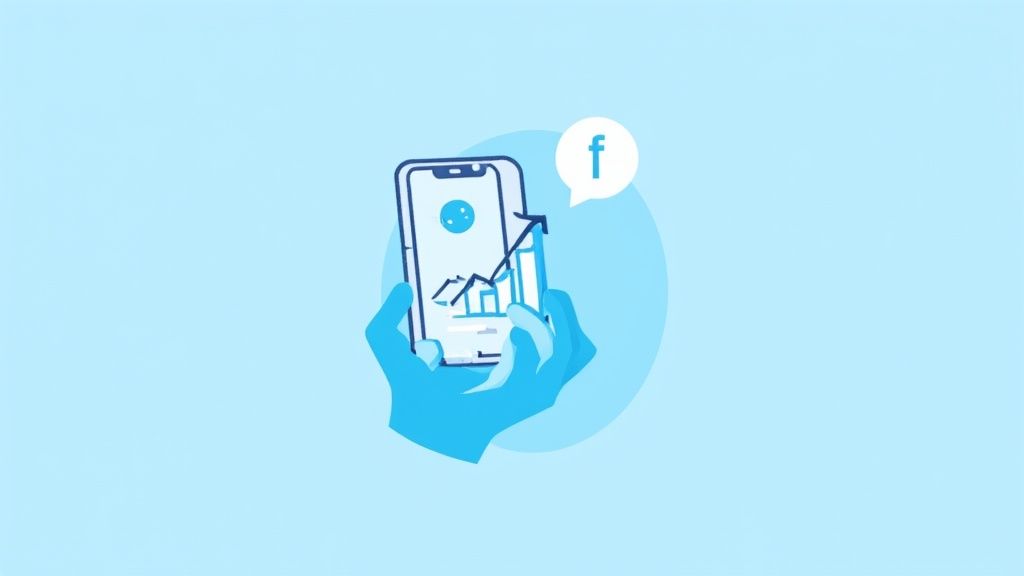
What I love about the Voicetta dashboard is how clean and intuitive it is. It makes turning your strategy into real, working conversation flows a breeze, helping you stay organised right from the start.
First-Time Setup and Getting Your Team on Board
With a clear purpose and personality in mind, the actual technical part inside Voicetta is pretty simple. The platform walks you through authorising your Facebook Business Page step-by-step. While you're there, you'll also tweak a few essential settings.
Here’s a pro tip that gets missed all the time: set your team permissions right away. Decide who needs to build the chat flows, who just needs to see the analytics, and who gets pinged when a conversation needs a real human to take over. Sorting this out on day one saves a lot of headaches down the line.
Doing this prep work ensures your bot isn't just another gadget, but a genuine extension of your brand that actually helps people. For a more detailed look at the strategy, we've put together a full guide on how to create a winning chatbot on Facebook.
Ultimately, getting these foundational pieces right is what separates a bot that annoys customers from one that becomes a core part of your business. It’s all about building a solid base before you even write the first "Hello!".
Alright, let's get our hands dirty. This is where the real fun begins. We're stepping away from the planning documents and jumping straight into Voicetta's visual editor to actually build the conversation your customers will have with your bot. Honestly, creating a chatbot en facebook is much less about writing code and more about understanding people and crafting a genuinely helpful dialogue.
To keep things grounded, we'll build a flow for one of the most common questions any business gets: "Where are you located and when are you open?" Our aim here isn't just to spit out an answer, but to create a smooth interaction that makes someone feel like they've been helped by a sharp, friendly assistant.
This whole process in Voicetta is designed to be visual and intuitive. You’ll see how you can go from connecting your page to having a live conversation in no time.
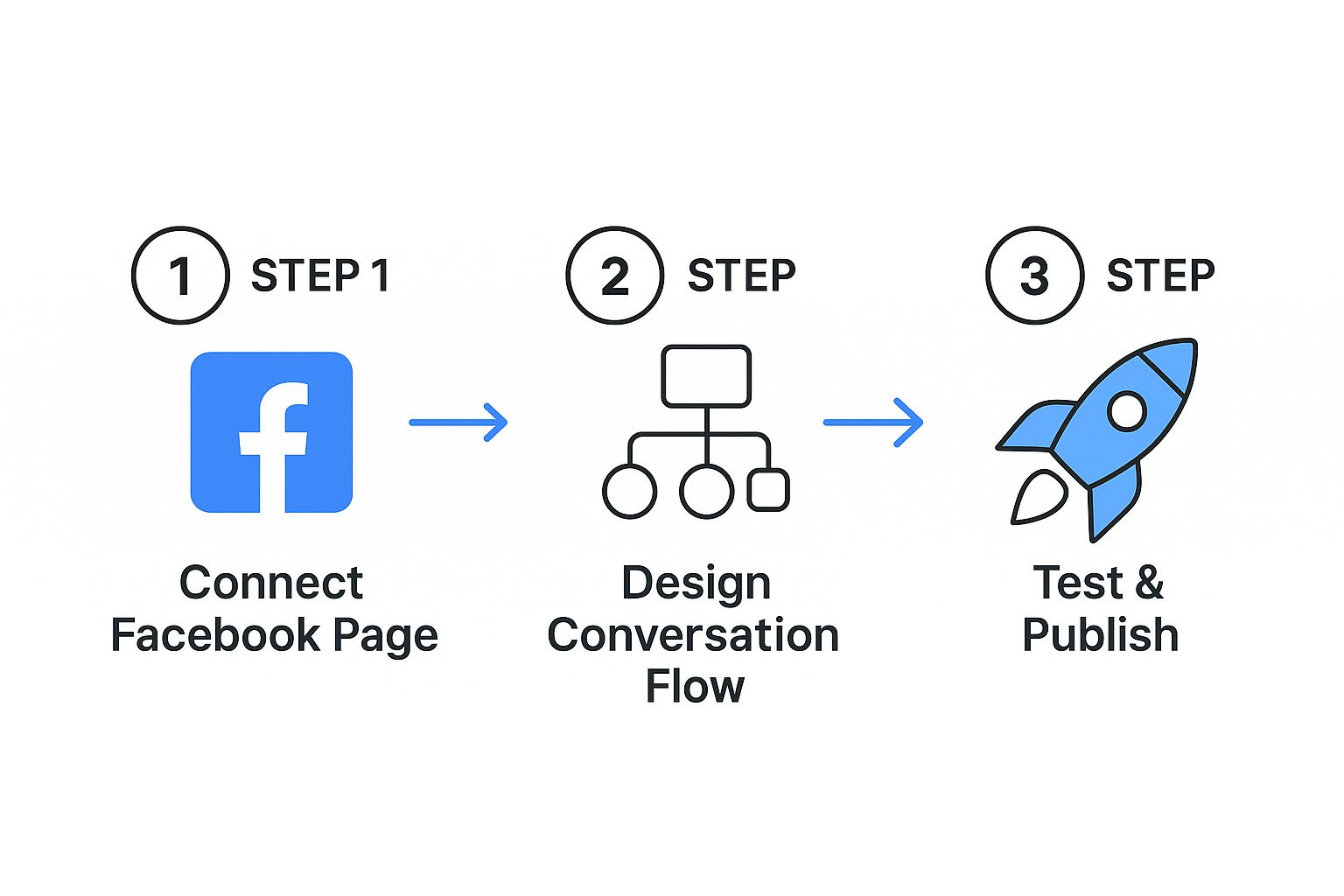
The main thing to notice is how linear it is. There are no complicated loops or technical jargon to get bogged down in. It’s all about getting your ideas out of your head and into a working bot, fast.
First, Map Out the User's Journey
Before you touch a single button in Voicetta, grab a pen and paper (or your favourite digital equivalent) and sketch out the conversation. Think about how a real person might ask their question. Someone typing "hours" is on a slightly different path than someone asking, "where are you?"
Your bot's first message is its handshake. It has to be clear and manage expectations right from the start. A vague "How can I help?" is a recipe for confusion. Try something more focused that guides them.
- A better welcome: "Hi there! Welcome to [Your Brand]. Are you looking for our opening hours, location, or something else?"
- Give them shortcuts: Immediately offer buttons like "Opening Hours" and "Our Location". This little trick saves your customers from typing and gets them the answer they need in a single tap.
Using these quick replies is a total game-changer. I’ve seen it time and again: guided conversations with buttons almost always perform better than open-ended questions. It cuts down on the chances of the bot misunderstanding what the user wants.
A truly smart chatbot doesn't just answer the question asked; it anticipates the next one. If a customer asks for your location, what's the very next thing they'll do? Probably look up directions. Voicetta is built to chain these interactions together seamlessly.
So, in our example, after a user taps "Our Location," don't just throw an address at them. Have the bot provide the full address and instantly follow up with a button that says, "Get Directions." It’s a simple, proactive touch that turns a good bot into a great one.
Building the Flow with Interactive Elements
The real power of a tool like Voicetta is in its interactive pieces. They’re what make the conversation feel alive and not just like a series of text messages.
Let's take our "Opening Hours" flow and make it smarter. When someone clicks that button, resist the urge to dump a list of all seven days' hours into the chat. That's just a wall of text.
Instead, let's make it interactive:
- Start with today: The bot first shows the hours for the current day. Something like, "We're open today from 9:00 to 18:00."
- Offer more info: Right after, it presents a button: "See Full Weekly Hours".
- Let them choose: Only if the user clicks that button does the bot show the schedule for the entire week.
This little bit of finesse respects the customer's time. It gives them the most relevant piece of information first and lets them decide if they need to know more. It also keeps the chat window clean and uncluttered.
You can apply the same logic to the location query. After giving the address, why not use a gallery card to show a photo of your shopfront? It’s a fantastic visual cue that helps people spot your business when they arrive. These small details are what make your chatbot en facebook feel less like a tool and more like a thoughtful extension of your brand, building a little bit of trust with every single interaction.
Taking Your Chatbot from Good to Great with Advanced Features
So, you've got your basic chatbot en facebook up and running. It's handling the simple stuff, which is a great start. But let's be honest, a bot that just follows a script is good, but it's not going to wow anyone. To really build relationships and make your bot an asset, we need to dive into Voicetta’s more powerful features. This is how we transform it from a simple Q&A machine into a smart, intuitive assistant that feels genuinely helpful.
It’s time to move past just offering buttons and start thinking like your customers. We can actually anticipate what they're going to type and use those words to kick off the perfect conversation flow. This is all about setting up keyword triggers, a simple but game-changing technique that makes your chatbot feel like it's one step ahead.
Mastering Keyword Triggers
Start by putting yourself in your customers' shoes. What are the first words that pop into their heads when they have a question? I'm talking about common terms like "price," "discount," or "delivery." In Voicetta, you can link these keywords directly to specific automated responses.
Let’s imagine you're a Polish brand selling handmade leather goods online. You could set up triggers for words your local customers would use:
- "Cena" (Price): When someone types this, the bot can immediately ask which product they’re curious about, then shoot back the price and a direct link to buy. No fuss.
- "Rabat" (Discount): This keyword could instantly trigger a message about your current sales or even offer a special one-time discount code to nudge them towards a purchase.
- "Dostawa" (Delivery): A user typing this gets an immediate reply detailing your shipping options, costs, and typical delivery times across Poland.
This approach makes the whole experience faster and far more relevant. It shows your customers that you’ve thought about their needs before they even ask.
Don't try to guess every single word a customer might use. Focus on the 20% of keywords that trigger 80% of your common questions. Just look at your past customer messages—the most important terms will jump right out at you.
This isn’t just a neat trick; it's where the market is headed. By 2024-2025, practically every major e-commerce player in Poland had implemented advanced chatbot solutions, making Messenger a core part of their customer service. It’s a clear signal that businesses are relying on Messenger for smart, real-time support. You can read more about the evolution of chatbots in Polish e-commerce to see just how big this shift is.
Creating a Seamless Human Handover
Look, even the most sophisticated bot isn't human. There will be times when a person needs to step in, and knowing when to make that switch is vital for keeping customers happy. That’s where setting up a human handover protocol is absolutely essential.
In Voicetta, you can create rules that automatically flag a conversation for your team. A handover could be triggered if a user:
- Types something obvious like "talk to a person" or "agent."
- Asks a question the bot fails to understand twice in a row.
- Brings up a sensitive issue, like a complaint or a complex problem with their bill.
When one of these triggers is hit, the bot can smoothly pass the torch. It might say something like, "Let me get a member of our team to help you with that," while simultaneously pinging your support staff. This simple process ensures no one is left talking to a wall and every important issue gets the attention it deserves.
If you’re keen to learn more about striking this balance, check out how to automate customer support without losing that personal connection. It's these kinds of thoughtful, advanced features that turn a functional chatbot en facebook into a powerful engine for your business's growth.
Getting Your Chatbot Live and Making It Smarter
Hitting the ‘go-live’ button on your chatbot en facebook feels like a finish line, but it’s actually the starting gun. A truly great chatbot isn't something you just set up and walk away from. It’s a living part of your team that learns and improves from every single conversation. The real work—and the real results—begin right after you launch.
Before you let it loose, though, you need to do a final, thorough check. Think of it as a dress rehearsal for your bot. I always run through every single conversation path I’ve built, clicking every button and testing every reply. It's much, much better to find a broken link or a clunky sentence yourself than to have a potential customer stumble upon it.
Getting to Grips with Voicetta Analytics
Once your chatbot is live, the Voicetta analytics dashboard is your new best friend. This is where you stop guessing what your users want and start seeing what they actually do. Don't let all the charts and numbers intimidate you. Just focus on a couple of key metrics that tell you the real story of how your bot is performing.
I always tell my clients to keep a close eye on these two numbers first:
-
Fallback Rate: This is a big one. It tells you how often your bot gets stumped and can't answer a user's question. If this number is high, it’s a flashing red light telling you to either build out new conversation flows or fine-tune your keyword triggers.
-
Conversation Completion Rate: This metric shows you how many people are actually making it to the end of a key process, like booking a consultation or finding the answer they needed. If people are dropping off halfway through, your flow might be too long, confusing, or just not giving them what they want.
The aim here is constant improvement, not instant perfection. Your first version is just your best-educated guess. The data you gather in those first few weeks is the treasure map that will lead you to a chatbot your customers genuinely love.
From Data to Decisions
One of the most valuable habits you can build is regularly reading through the conversation logs. This is like having a direct line into your customers' thoughts. You'll see the exact words they use, feel their frustration when the bot gets it wrong, and discover all the questions you never even considered.
This is what turns a simple bot into a powerhouse for your business. When you tie this into your paid ads, the impact is even bigger. To make sure your advertising budget is working as hard as possible, you need a solid grasp of tracking. For a fantastic guide on this, check out Mastering Facebook Ad Tracking.
This cycle of looking at the data and making small tweaks is crucial, especially when you consider the size of the audience in Poland. By early 2025, the number of people you could reach with ads on Facebook in Poland was around 18.7 million. That's a huge audience, and it grew by 9.1% in just one year. You can dig into these stats yourself and learn more about Poland's digital landscape on DataReportal.
By constantly reviewing your analytics and user logs, you can methodically improve your chatbot en facebook and make sure it’s ready to serve this massive, growing audience. If you want more tips on the whole process, we've got you covered in our guide on how to implement a chatbot.
Your Top Chatbot Questions, Answered
Jumping into the world of a chatbot en facebook for the first time? It's natural to have a few questions. This is a new frontier for many businesses, but the great news is that modern tools have made it easier than ever to get started. Let's tackle some of the most common things people wonder about.
One of the biggest hurdles I see businesses worry about is the technical side of things. It's a fair concern, but thankfully, the old days of needing a programming degree to build a bot are long behind us.
How Much Technical Skill Do I Really Need?
Honestly? Next to none. Platforms like Voicetta are built as no-code solutions with a simple, visual drag-and-drop interface.
If you can map out a conversation on a piece of paper, you have all the technical skill you need to build a really effective bot. All the complicated code is handled for you, so you can put all your energy into the fun part: designing a great chat experience for your customers.
That's what really matters—the user's experience. If you're curious about the nuts and bolts, you can always check out our guide on how do chatbots work, but for now, just know that the creation part is surprisingly straightforward.
Another question I hear all the time is about language, especially for businesses that want to connect with a local audience on a deeper level.
Can My Chatbot Communicate Effectively in Polish?
Yes, one hundred percent. Modern chatbot platforms come with powerful Natural Language Processing (NLP) that fully supports Polish.
You can craft every single one of your bot’s responses in Polish. More importantly, you can train it to understand local slang, common phrasing, and the specific ways your customers ask questions. This makes every interaction feel completely natural and native, not like you’ve just run your script through a clunky translator. Your chatbot en facebook will truly speak your customers' language, which builds instant trust.
A great chatbot also knows its own limits. It’s not about tricking someone into thinking it’s human; it's about being a helpful assistant that knows when to call for backup.
This brings up a vital point: what happens when a conversation gets too complex for a bot?
What If My Chatbot Cannot Answer a Question?
This is where a little smart planning makes all the difference. You can easily build what's called a 'fallback' flow. This is a pre-planned path that kicks in anytime the bot gets stuck.
Typically, the chatbot will politely say something like, "I'm not sure how to help with that, but I can connect you with someone who can." This can trigger a notification to your team or hand the conversation over seamlessly to a live chat agent. The key is ensuring your customer never hits a dead end.
Finally, how do you even know if all this is working?
How Do I Measure Chatbot Success?
Success comes down to the goals you set in the first place. Inside the Voicetta dashboard, you’ll want to keep a close eye on key metrics like:
- User engagement rates: Are people actually interacting with the bot?
- Leads captured: How many new contacts or sales opportunities is it generating?
- Conversation completion rates: Are users getting the answers they need?
If your bot is focused on customer support, the most important number is the 'deflection rate'. This tells you what percentage of enquiries the bot handled on its own, without any human help. That number is a direct measure of the time and money you're saving.
Ready to build a chatbot that never misses a lead? Voicetta provides the tools to automate your customer conversations 24/7, turning simple queries into real business growth. Learn more at https://voicetta.com.