

Blog
Top Call Center Metrics Dashboard for 2025 | Boost Performance
Struggling to improve your call center's performance? A robust call center metrics dashboard is key. This listicle reveals eight top tools in 2025, empowering you to ...
Unlocking Call Center Success with Powerful Dashboards
Struggling to improve your call center's performance? A robust call center metrics dashboard is key. This listicle reveals eight top tools in 2025, empowering you to transform raw data into actionable insights. Discover which call center metrics dashboard best suits your business, boost agent productivity, and elevate customer satisfaction. We'll explore options like Zendesk Explore, Freshdesk Contact Center, Talkdesk, Five9, Geckoboard, Zoho Analytics, Databox, and HubSpot Service Hub, highlighting their strengths and weaknesses. Stop guessing and start optimizing – your perfect dashboard awaits.
1. Zendesk Explore: A Powerful Call Center Metrics Dashboard for Zendesk Users
For businesses already leveraging the Zendesk ecosystem, Zendesk Explore emerges as a natural choice for a comprehensive call center metrics dashboard. This robust analytics and reporting platform provides a deep dive into your call center operations, offering real-time insights that empower data-driven decision-making. If you're looking to boost agent performance, optimize call flows, and ultimately enhance customer satisfaction, Zendesk Explore warrants a closer look. This tool deserves its place on this list due to its seamless integration with other Zendesk products, its powerful real-time analytics, and its customizable dashboards tailored for call centers.
Imagine having all your essential call center metrics readily available at your fingertips. Zendesk Explore makes this a reality by integrating seamlessly with Zendesk's customer service platform. This means you can monitor key performance indicators (KPIs) like average handling time (AHT), first call resolution (FCR), and customer satisfaction (CSAT) scores in real-time. For example, a customer support manager can instantly identify agents struggling with high AHT and provide targeted coaching to improve efficiency. Similarly, monitoring FCR can pinpoint areas where processes need streamlining to resolve customer issues on the first contact.
Zendesk Explore shines with its customizable dashboard templates specifically designed for call centers. Whether you're a hospitality professional managing a reservation hotline, a real estate agent tracking lead response times, a healthcare provider monitoring patient call volumes, or an enterprise IT manager overseeing a support team, you can tailor the dashboard to your specific needs. This allows you to visualize trends in call volumes, track service level agreements (SLAs), and monitor agent performance against benchmarks. The drag-and-drop interface makes building custom dashboards intuitive, even for non-technical users like business owners or CEOs.
Key Features and Benefits:
- Real-time Monitoring: Keep a constant pulse on critical call center KPIs and SLAs, enabling proactive adjustments to maintain optimal performance.
- Customizable Dashboards: Tailor dashboards to your specific business needs using pre-built templates or create custom visualizations with the drag-and-drop interface.
- Advanced Filtering and Segmentation: Drill down into specific data sets to uncover hidden trends and identify areas for improvement. Segment data by agent, team, call reason, or any other relevant criteria.
- Zendesk Talk Integration: Zendesk Explore integrates seamlessly with Zendesk Talk, providing a holistic view of your call center activity and agent performance.
- Exportable Reports and Scheduled Delivery: Easily share insights with stakeholders through exportable reports in various formats and automate report delivery on a regular schedule.
Pros:
- Seamless Zendesk Integration: Effortlessly connects with other Zendesk products for a unified customer service ecosystem.
- Intuitive Interface: The drag-and-drop interface simplifies dashboard creation and customization.
- Comprehensive Data Visualization: Offers a wide range of visualization options to present data in a clear and compelling manner.
- Powerful Real-time Analytics: Access up-to-the-minute data to make informed decisions and react quickly to changing conditions.
Cons:
- Cost: Can be a significant investment for smaller call centers with limited budgets.
- Setup Time: Configuring complex metrics may require dedicated setup time and expertise.
- Limited Integrations: Integrations outside of the Zendesk ecosystem are limited, which may be a drawback for businesses using other platforms.
Learn more about Zendesk Explore to understand the platform's advanced functionalities.
While pricing and specific technical requirements are not readily available, Zendesk offers detailed information upon request. Contact their sales team for a personalized quote and consultation. For those already invested in the Zendesk suite, Explore is a powerful tool for gaining a deeper understanding of your call center dynamics. For businesses seeking broader integrations, exploring other options on this list might be beneficial. Consider your specific needs and budget when evaluating Zendesk Explore.
2. Freshdesk Contact Center: A User-Friendly Call Center Metrics Dashboard
For businesses seeking a straightforward yet powerful solution for monitoring their call center performance, Freshdesk Contact Center (formerly Freshcaller) offers a compelling call center metrics dashboard. This platform makes it easy for customer support managers, hospitality professionals, real estate agents, healthcare providers, IT managers, business owners, CEOs, and CTOs to gain real-time insights into their call operations and make data-driven decisions. Its intuitive interface and robust reporting capabilities earn it a well-deserved spot on this list.
Freshdesk Contact Center's core strength lies in its ability to provide a comprehensive overview of both inbound and outbound call activity. Imagine being a customer support manager needing to quickly assess your team's performance during peak hours. With Freshdesk Contact Center's real-time monitoring dashboard, you can instantly see agent status, current call queue lengths, and average wait times. This real-time visibility allows you to proactively manage resources and ensure efficient call handling. Similarly, a healthcare provider can monitor call volumes related to appointment scheduling or prescription refills, identifying potential bottlenecks and improving patient experience. For a real estate agent, tracking call durations and follow-up success rates can be vital for refining sales strategies.
Beyond real-time monitoring, Freshdesk Contact Center's call center metrics dashboard empowers users with historical reporting on call volumes, agent performance, and other key metrics. This allows for trend analysis and identification of areas for improvement. For example, a business owner can analyze historical call data to understand peak call times, staffing needs, and customer behavior patterns. This information can inform strategic decisions about staffing levels, marketing campaigns, and overall customer service strategies. The platform also allows for customizable dashboard views. This means a CEO can focus on high-level metrics like overall call volume and customer satisfaction, while a team leader can delve into individual agent performance statistics like average handling time and resolution rate.
Freshdesk Contact Center offers a suite of valuable features, including:
- Real-time monitoring: Keep an eye on agent status and call queue metrics as they happen.
- Historical reporting: Analyze past call data to understand trends and identify areas for optimization.
- Customizable dashboards: Tailor the view to display the most relevant metrics for different roles and needs.
- Call recording integration: Integrate call recordings for quality monitoring and agent training.
- Custom metric creation: Track specific KPIs that are important to your business.
Pros:
- Intuitive user interface: Requires minimal training, making it easy for teams to adopt and use effectively.
- Competitive pricing: Makes it an attractive option for small to medium-sized call centers.
- Strong mobile application: Allows for on-the-go monitoring and management.
- Seamless integration with Freshdesk ticketing system: Streamlines workflows for businesses already using the Freshdesk ecosystem.
Cons:
- Advanced analytics features require higher-tier plans: Some businesses may need to upgrade to access more sophisticated analytical tools.
- Limited third-party integrations compared to competitors: May pose a challenge for businesses reliant on specific third-party applications.
- May lack some enterprise-level features for very large call centers: May not be the ideal solution for businesses with extremely complex call center operations.
While pricing details aren't publicly available, Freshdesk Contact Center operates on a subscription basis with tiered plans. Technical requirements are minimal, requiring only a stable internet connection and a compatible web browser. Compared to similar tools like Talkdesk or RingCentral, Freshdesk Contact Center shines in its user-friendliness and affordability, making it a strong contender for businesses seeking a balanced solution for their call center metrics dashboard needs.
Implementation Tip: Start with a free trial to explore the platform and identify the best plan for your business requirements. Leverage the customizable dashboards to tailor the view to the needs of different roles within your organization.
Freshdesk Contact Center Website
3. Talkdesk
Talkdesk stands out as a robust, cloud-based call center metrics dashboard solution designed for businesses seeking advanced performance monitoring and data-driven decision-making. It offers a comprehensive suite of features that empower supervisors to gain deep insights into both real-time and historical call center data, enabling them to optimize agent performance and enhance the customer experience. Its strength lies in providing customizable dashboards tailored to specific business needs, allowing you to track key metrics relevant to your operations. Imagine having a clear view of your average handle time, first call resolution rates, abandonment rates, and agent productivity across all communication channels, from voice and chat to email and social media. This holistic approach to metrics tracking makes Talkdesk a powerful tool for businesses aiming to fine-tune their call center operations and boost customer satisfaction.
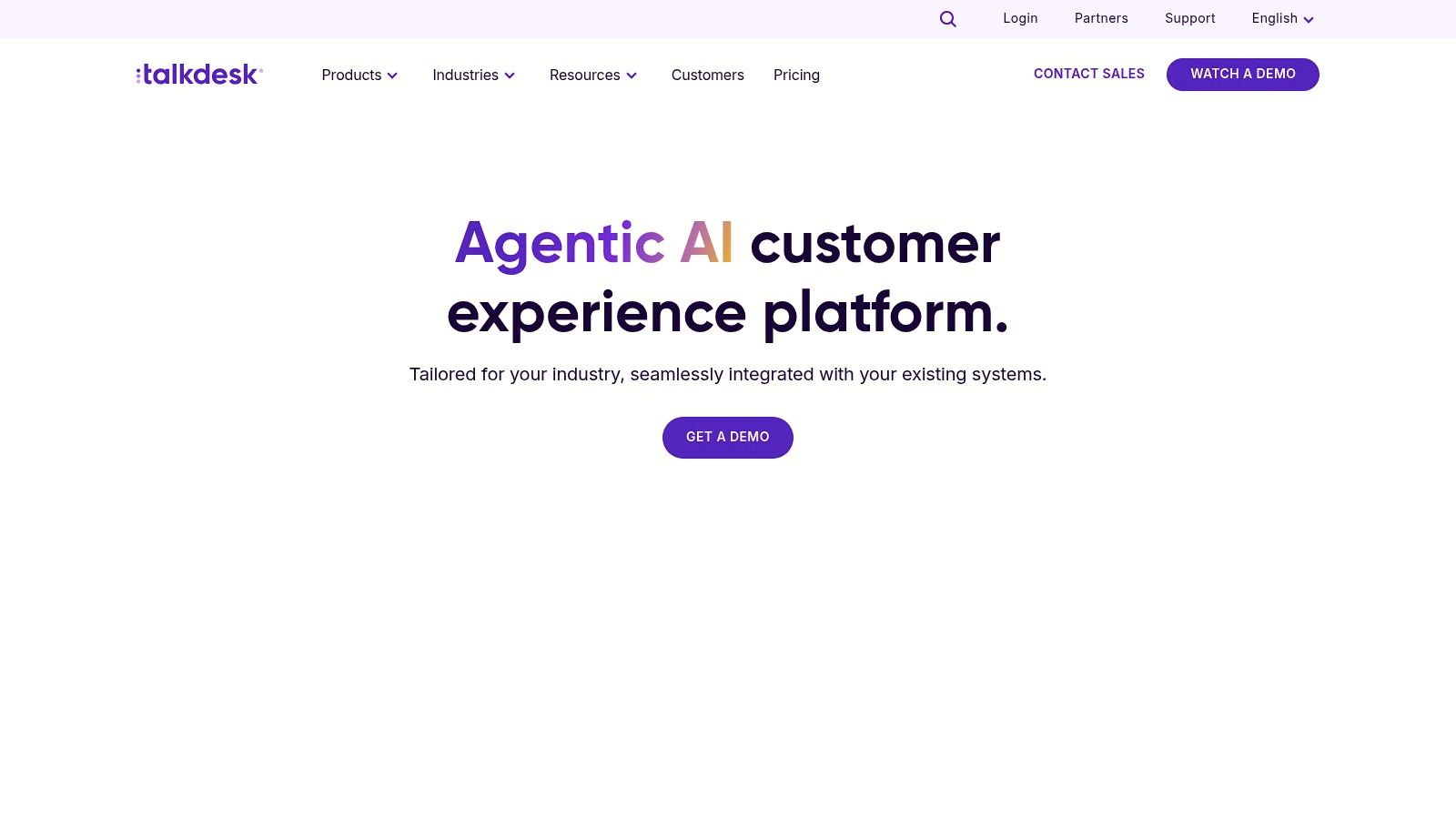
For a customer support manager struggling with long wait times, Talkdesk's real-time dashboards can pinpoint bottlenecks and help redistribute call flow for quicker resolutions. A hospitality professional can leverage the omnichannel metrics tracking to monitor guest interactions across various platforms, ensuring seamless communication and personalized service. Similarly, real estate agents can track client engagement and response times, leading to improved lead management and increased conversions. Even in healthcare, providers can monitor patient call volume and satisfaction, optimizing appointment scheduling and enhancing the overall patient experience. For enterprise IT managers looking for robust call center solutions, Talkdesk’s enterprise-grade reliability and 100% uptime SLA provides peace of mind. Business owners, CEOs, and CTOs can use Talkdesk’s AI-powered analytics for forecasting and strategic planning, driving business growth and efficiency. Learn more about Talkdesk for insights into real-time agent assistance features.
Talkdesk's AI-powered analytics, a key differentiator, provides predictive metrics, enabling proactive adjustments to staffing and workflows. Imagine being able to anticipate peak call volumes and adjust agent schedules accordingly, minimizing wait times and preventing customer frustration. The customizable wallboards for call center floor displays allow for real-time performance monitoring and can foster a sense of healthy competition among agents through gamification elements incorporated within the agent performance scorecards.
While Talkdesk offers a powerful feature set, it's important to consider the potential drawbacks. The platform comes with a higher price point compared to some competitors, making it a more significant investment. The setup process for advanced features can be complex, potentially requiring dedicated IT resources or consultant support. Finally, smaller call centers may find themselves overwhelmed by the extensive feature set, some of which might not be necessary for their operations.
Features:
- AI-powered analytics with predictive metrics
- Real-time and historical reporting dashboards
- Customizable wallboards for call center floor displays
- Omnichannel metrics tracking across voice, chat, email, and social media
- Agent performance scorecards with gamification elements
Pros:
- Enterprise-grade reliability with 100% uptime SLA
- Extensive customization options for metrics and KPIs
- Strong AI capabilities for predictive analytics
- Comprehensive integration ecosystem
Cons:
- Higher price point than some competitors
- Complex setup process for advanced features
- May have more features than needed for small call centers
Website: https://www.talkdesk.com/
Implementing Talkdesk effectively requires careful planning and configuration. Begin by clearly defining your key performance indicators (KPIs) and tailoring the dashboards to reflect these metrics. Invest time in training your team to effectively use the platform and leverage its features to their full potential. While the initial setup might require some effort, the long-term benefits of improved call center performance and enhanced customer experiences make Talkdesk a valuable investment for businesses seeking a comprehensive call center metrics dashboard solution.
4. Five9
Five9 stands out as a sophisticated solution for crafting powerful call center metrics dashboards, providing a comprehensive view of your contact center operations. Whether you're a customer support manager tracking agent performance or a CEO overseeing overall call center efficiency, Five9 equips you with the real-time insights you need to make data-driven decisions. This platform shines with its ability to deliver key metrics such as call volume, agent performance, queue status, and even granular data like customer satisfaction. Its customizable dashboards allow tailoring the information displayed based on roles and responsibilities, ensuring that everyone from supervisors to executives has access to the most relevant data. This focus on actionable insights is why Five9 earns a place on this list of top call center metrics dashboard solutions.
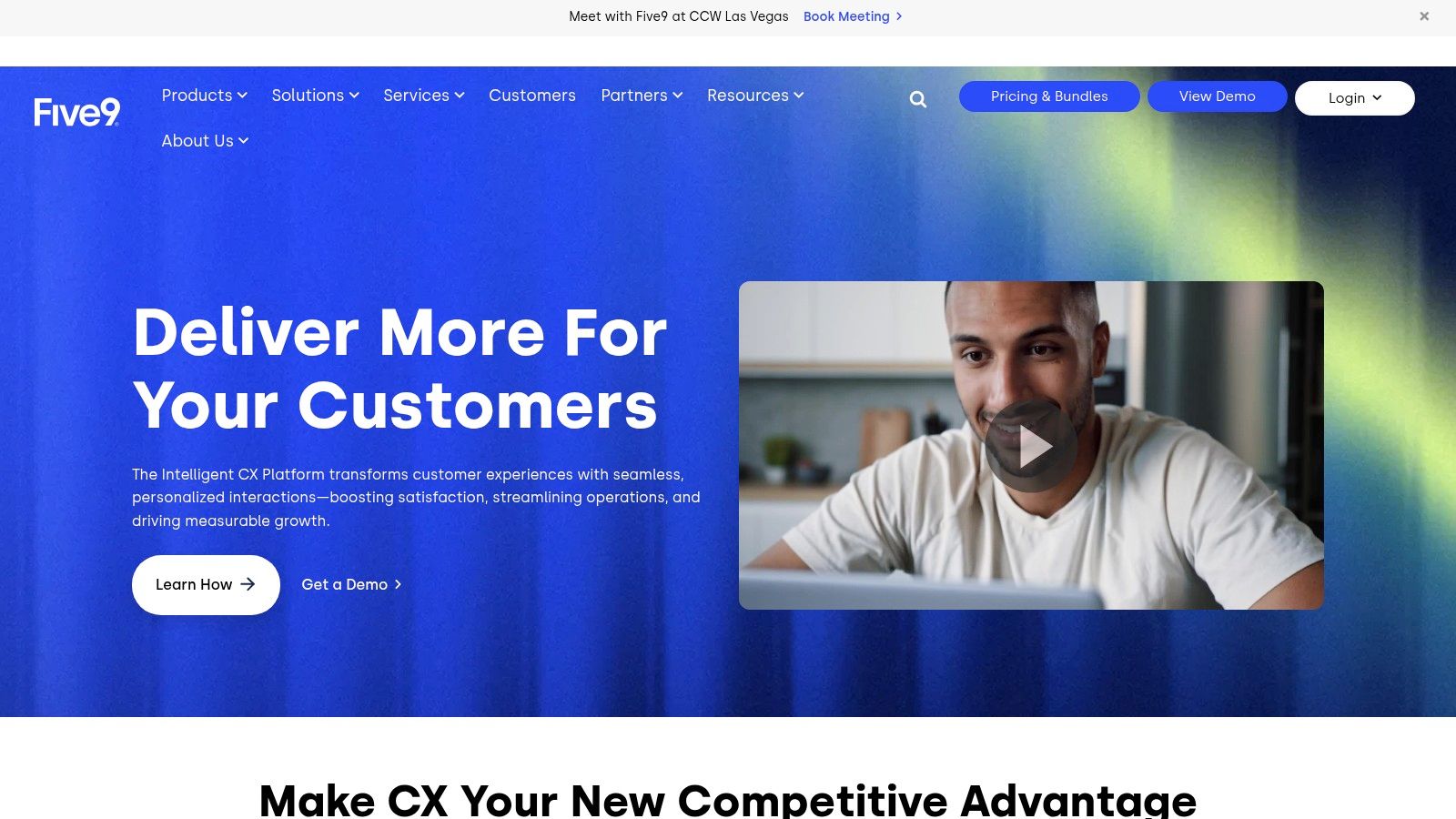
Imagine a busy real estate office. Agents are constantly on the phone, juggling calls from potential buyers and sellers. With Five9's real-time dashboards, managers can instantly see which agents are available, how long customers are waiting in the queue, and even monitor ongoing calls for quality assurance. For a healthcare provider, Five9's customizable threshold alerts can notify supervisors if wait times exceed a certain limit, ensuring timely patient care. Even in a large enterprise setting, Five9’s scalability allows IT managers to seamlessly integrate the platform with existing CRM systems like Salesforce, streamlining workflows and improving overall efficiency. Learn more about Five9 for a deeper dive into its workforce management capabilities.
Five9 offers a robust suite of features, including real-time and historical dashboards with drill-down capabilities, supervisor desktops equipped with agent monitoring tools, customizable threshold alerts for critical metrics, a comprehensive reporting suite with over 200 pre-built reports, and even wallboard displays for call center floor visibility. These tools empower businesses to not just monitor their call center activities but actively manage and optimize them for peak performance.
While Five9 offers significant advantages, it's essential to consider the potential drawbacks. Implementing the full suite of features can require a significant investment, and mastering the more advanced functionalities may involve a steeper learning curve. Some customizations might also necessitate the assistance of professional services. Unfortunately, specific pricing and technical requirements are not readily available and require contacting Five9 directly.
Pros:
- Strong integration with CRM platforms like Salesforce
- Advanced workforce management capabilities
- Robust quality management and recording features
- Highly scalable for enterprise contact centers
Cons:
- Significant investment required for full implementation
- Steeper learning curve for advanced features
- Some customizations may require professional services
For businesses seeking a powerful and comprehensive call center metrics dashboard solution, Five9 delivers a compelling offering. Its ability to provide real-time insights, customizable dashboards, and robust reporting features makes it a valuable tool for optimizing call center operations and improving overall business performance. You can explore more about Five9 on their website.
5. Geckoboard
Imagine walking into your call center and instantly seeing key performance indicators displayed on a large, vibrant dashboard. Think of the impact: agents motivated by real-time feedback, managers spotting trends as they emerge, and a shared understanding of team performance driving continuous improvement. This is the power of a well-designed call center metrics dashboard, and Geckoboard excels at making this vision a reality. Geckoboard is a dedicated dashboard platform that specializes in creating visually appealing, real-time dashboards perfect for monitoring your call center's pulse. While not a full call center solution itself, it offers powerful integration capabilities with many popular call center software and data sources, allowing you to build a centralized hub for all your essential metrics.
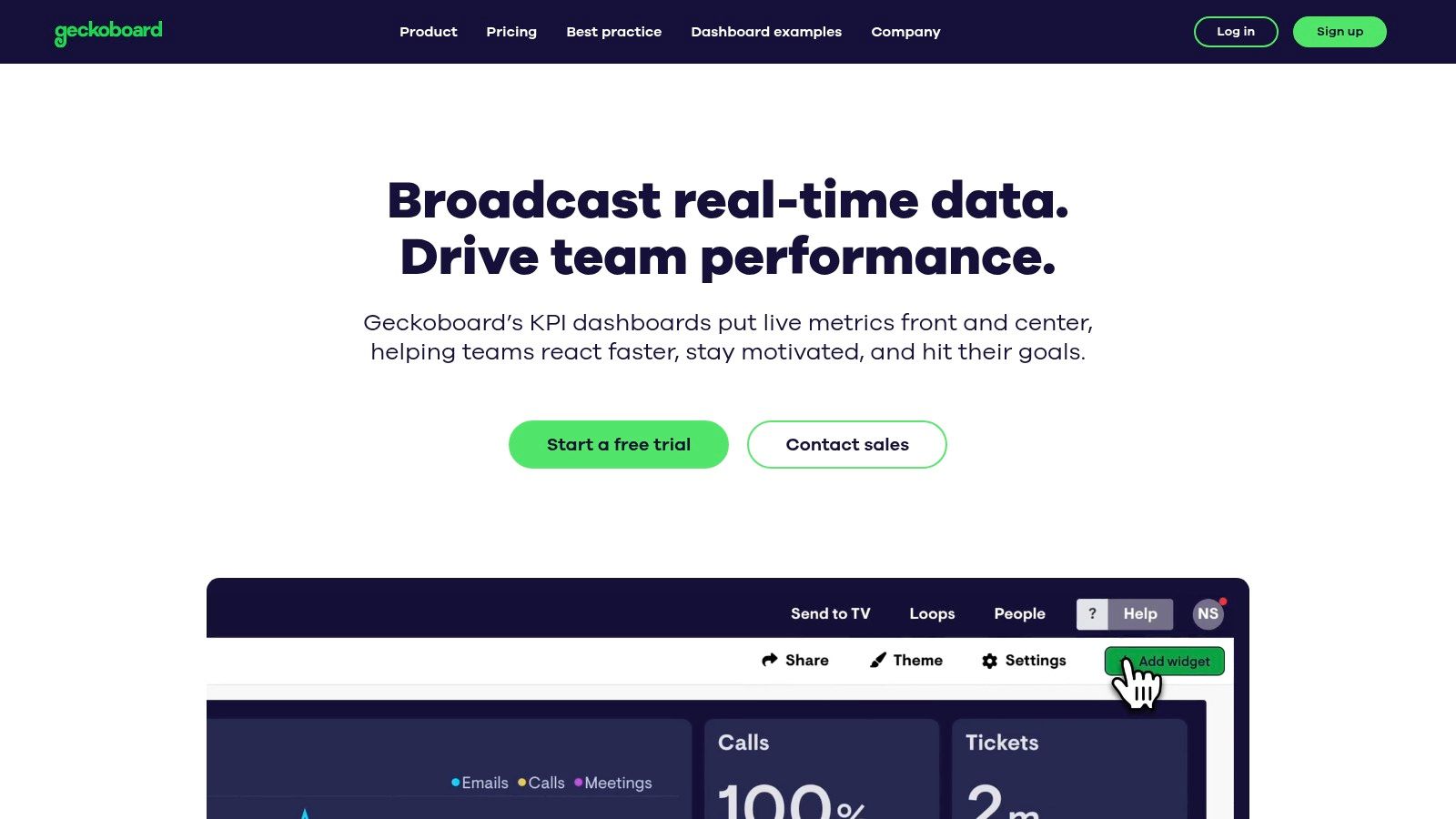
For customer support managers, Geckoboard can track metrics like average handle time and first call resolution rate, providing insights into agent performance and customer satisfaction. Hospitality professionals can monitor guest satisfaction scores and response times, enabling them to proactively address issues and enhance the guest experience. Real estate agents can visualize lead conversion rates and sales performance, helping them optimize their strategies and close more deals. Healthcare providers can track patient wait times and appointment adherence, improving operational efficiency and patient care. Even Enterprise IT Managers can leverage Geckoboard to monitor system performance and uptime, ensuring smooth operations and quick responses to incidents. For business owners, CEOs, and CTOs, Geckoboard offers a high-level overview of crucial call center metrics, facilitating data-driven decision-making and strategic planning.
Geckoboard's simple drag-and-drop interface makes building a call center metrics dashboard incredibly user-friendly, requiring minimal technical skills. You can select from a variety of pre-built widgets and connect them to your existing call center software, such as Zendesk and Freshdesk, or leverage custom APIs for more specialized integrations. The platform automatically refreshes data at customizable intervals, ensuring your team always has access to the latest information. The dedicated "TV mode" is designed specifically for large display monitors in call centers, maximizing visibility and promoting team accountability. Visualize call volumes, wait times, resolution rates, and agent performance metrics in a clear, accessible format, enabling quick identification of areas for improvement. Track progress towards goals with visually engaging charts and graphs, motivating teams and driving performance.
Pros:
- Extremely user-friendly interface.
- Focused on clarity and visibility of key metrics.
- More affordable than full call center solutions for dashboard-only needs.
- Flexible integration options via Zapier and webhooks.
Cons:
- Not a full call center solution (dashboard only).
- Some advanced data manipulations require workarounds.
- Limited native integrations with some call center platforms.
Implementation Tip: Start by identifying the most crucial call center metrics for your business. Then, utilize Geckoboard's pre-built widgets and integrations to visualize these metrics in a clear and concise manner. Display the dashboard prominently in your call center to foster transparency and data-driven decision-making.
Geckoboard's website (https://www.geckoboard.com/) provides detailed pricing information based on the number of dashboards and data sources you need. While pricing details are not included here as they can change, the platform generally offers tiered plans catering to various business sizes and requirements. Geckoboard deserves its place on this list because it provides an accessible, affordable, and effective way to visualize your call center's performance and empower your team with real-time insights. Its focus on visual clarity, ease of use, and flexible integrations makes it a valuable tool for any organization looking to optimize their call center operations.
6. Zoho Analytics: A Powerful Call Center Metrics Dashboard Solution
Zoho Analytics emerges as a strong contender for building robust call center metrics dashboards, empowering managers with the insights needed to optimize performance and improve customer satisfaction. This platform goes beyond basic reporting, providing a comprehensive suite of tools for data blending, visualization, and analysis. Imagine having all your key performance indicators (KPIs) readily available in a single, customizable dashboard – Zoho Analytics makes this a reality. Track crucial metrics like call volume, average handling time (AHT), first call resolution (FCR) rates, and customer satisfaction (CSAT) scores, all in one place. Its ability to integrate with various data sources, including other call center platforms and even Zoho's own CRM, creates a unified view of your operations, breaking down data silos for a more holistic understanding.
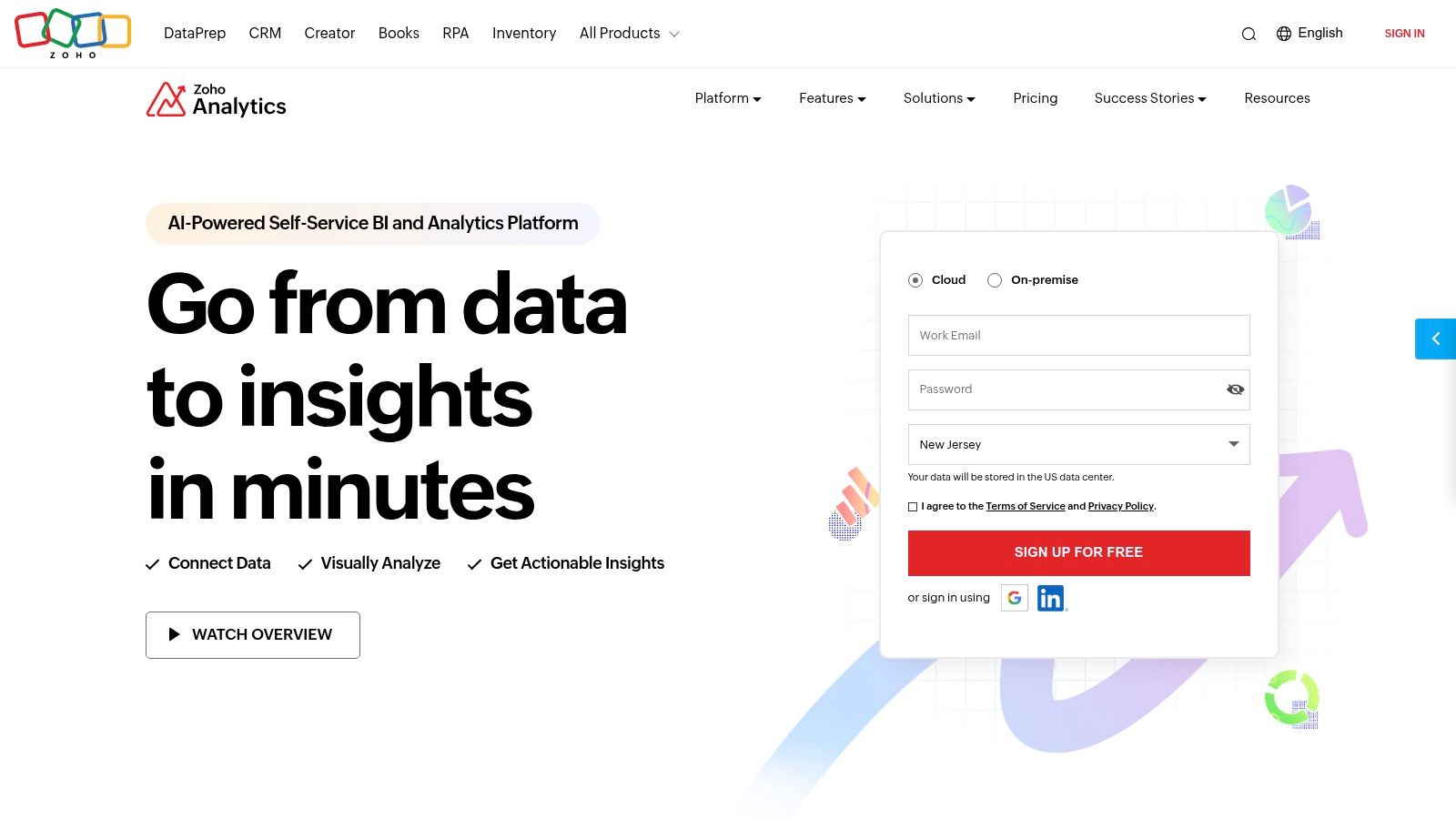
For a customer support manager dealing with a high volume of calls, Zoho Analytics can pinpoint peak hours and identify trends in call volume, enabling better staff scheduling and resource allocation. A hospitality professional can track guest satisfaction scores and correlate them with specific agent interactions, leading to targeted training and improved service delivery. Real estate agents can monitor call effectiveness, lead conversion rates, and agent performance, optimizing their sales pipeline. Healthcare providers can track patient call volume, wait times, and resolution rates, ensuring efficient service and identifying areas for improvement. Even enterprise IT managers can leverage Zoho Analytics to monitor system performance, identify potential bottlenecks, and ensure the smooth operation of their call center infrastructure. The platform's flexibility extends to business owners, CEOs, and CTOs who need a high-level overview of call center performance and its impact on overall business objectives.
Zoho Analytics stands out with its AI-powered assistant, which simplifies the creation of reports and dashboards. Even users without advanced technical skills can quickly generate insightful visualizations and reports. The self-service data preparation and visualization tools further empower users to manipulate and analyze data according to their specific needs. The extensive integration with the broader Zoho ecosystem, including Zoho CRM, provides extended functionality and seamless data flow between different business applications.
Features and Benefits:
- AI-powered assistant: Simplifies report and dashboard creation.
- Self-service data preparation: Empowers users to manipulate and analyze data.
- Extensive integrations: Connects with various call center platforms and Zoho CRM.
- Collaborative dashboards: Enables commenting and sharing for team insights.
- White-labeling options: Allows agencies and enterprises to customize the platform.
- Flexible deployment: Choose between cloud or on-premises solutions.
Pros:
- Excellent value for the features offered.
- Robust data manipulation capabilities.
- Seamless integration with the Zoho ecosystem.
- Flexible deployment options.
Cons:
- The interface can feel overwhelming due to the numerous options.
- Some advanced features have a steeper learning curve.
- The mobile experience is not as robust as the desktop version.
Pricing: Zoho Analytics offers various pricing plans, starting from a free version with limited features. Paid plans offer more advanced features and greater data storage capacity. Specific pricing details can be found on their website.
Technical Requirements: Zoho Analytics is a cloud-based platform accessible through a web browser. The on-premises version requires specific server hardware and software configurations. Details can be found on the Zoho Analytics website.
Implementation Tips:
- Start by clearly defining the key metrics you want to track.
- Connect Zoho Analytics to your existing call center platforms and CRM.
- Utilize the AI-powered assistant to create initial dashboards.
- Customize the dashboards to meet your specific reporting needs.
- Regularly review and analyze the data to identify trends and optimize performance.
Zoho Analytics earns its place in this list by offering a compelling combination of powerful features, flexible deployment options, and excellent value. Its ability to integrate data from various sources and provide a unified view of call center operations makes it a valuable asset for businesses of all sizes. Visit the Zoho Analytics website for more information and to explore their various pricing plans.
7. Databox: Your All-in-One Call Center Metrics Dashboard
Struggling to keep track of your call center's performance across different platforms? Databox might be the solution you're looking for. This business analytics platform excels at creating consolidated dashboards, pulling your call center metrics from various sources into one easy-to-understand view. Imagine having all your key performance indicators (KPIs) like call volume, average handle time (AHT), first call resolution (FCR), and customer satisfaction (CSAT) scores readily available in a single, customizable dashboard. That's the power of Databox. It simplifies the process of monitoring and analyzing your call center's performance, enabling data-driven decisions for improved efficiency and customer experience.
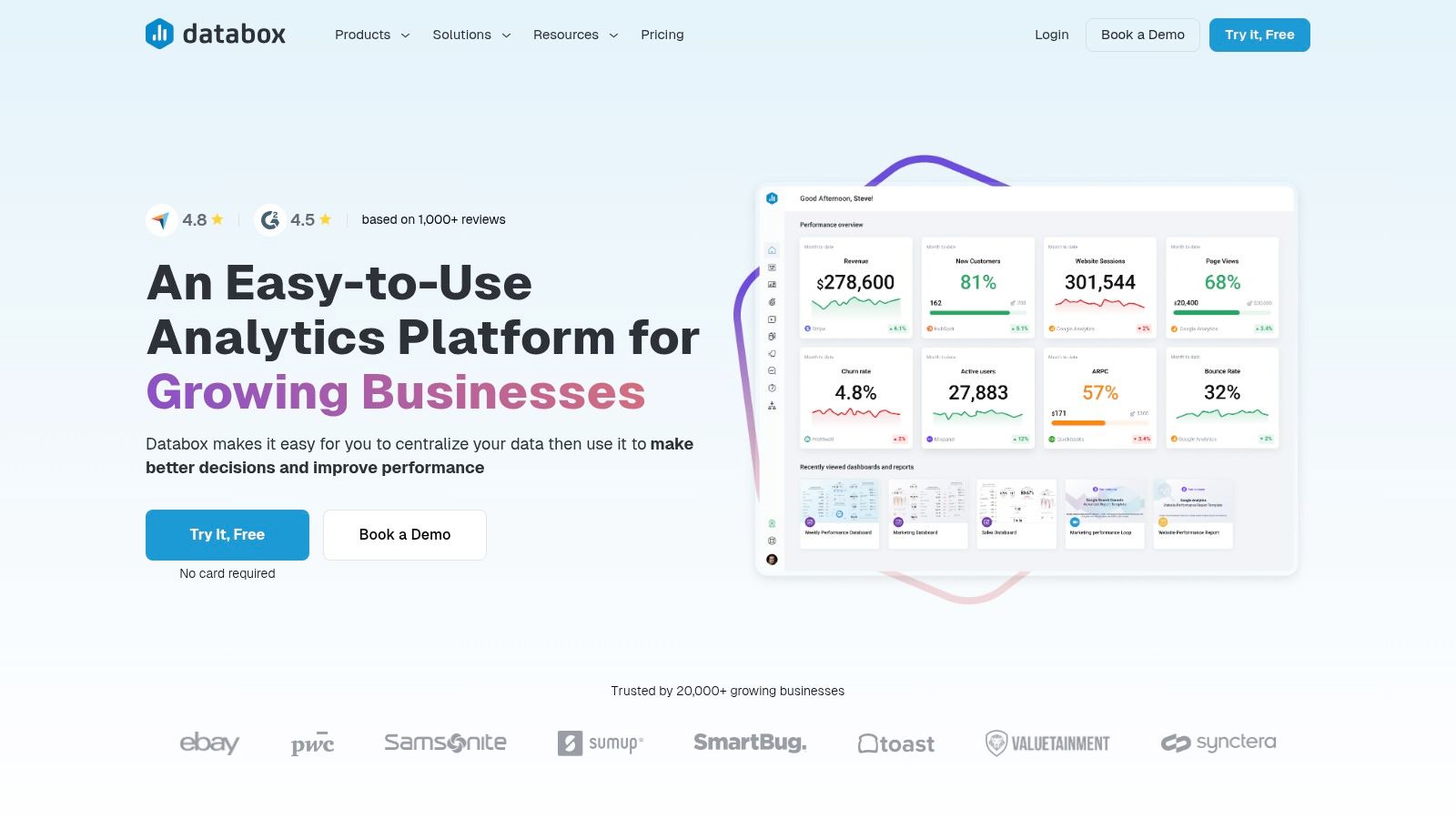
Databox deserves a spot on this list because of its ease of use and comprehensive integration capabilities. Whether you're a customer support manager, hospitality professional, real estate agent, healthcare provider, enterprise IT manager, business owner, CEO, or CTO, you can quickly set up a call center metrics dashboard with minimal technical expertise. The platform offers pre-built templates specifically designed for call center KPIs, giving you a head start in visualizing your data. For example, you can use a template to track your team's average handle time and identify areas for improvement in call handling procedures. This insight can help you streamline processes and boost overall efficiency. Furthermore, Databox's data streaming capabilities connect with over 70 tools and platforms, meaning you can integrate data from your CRM, helpdesk software, and other call center tools to gain a holistic overview of your operations. Learn more about Databox and how automated quality management can elevate your call center's performance.
One of Databox’s standout features is its robust alerting and notification system. You can set thresholds for specific metrics and receive alerts when those thresholds are crossed. Imagine being notified immediately if your average wait time spikes, allowing you to address the issue promptly and minimize customer frustration. This proactive approach to performance monitoring can significantly impact customer satisfaction and loyalty. The mobile app further enhances accessibility, letting you monitor your dashboards and receive alerts even when you're on the go.
While Databox offers a free starter plan, some advanced customizations and faster data refresh rates require a pro-level subscription. The platform also has limited data manipulation capabilities compared to full-fledged business intelligence (BI) tools. However, its streamlined user interface, competitive pricing, and focus on accessibility make it a powerful tool for businesses seeking a user-friendly call center metrics dashboard. Databox is a great option if you need a straightforward, visually appealing way to monitor your call center's vital statistics without the complexity of a full BI suite.
8. HubSpot Service Hub
HubSpot Service Hub offers a robust solution for businesses seeking a call center metrics dashboard within a broader customer service platform. While not exclusively built for traditional call centers, its powerful reporting tools empower teams to visualize and analyze key call center metrics, contributing to data-driven decision making and optimized customer experiences. This makes it a strong contender for businesses already leveraging HubSpot's ecosystem or those looking to integrate their call center metrics within a comprehensive CRM.
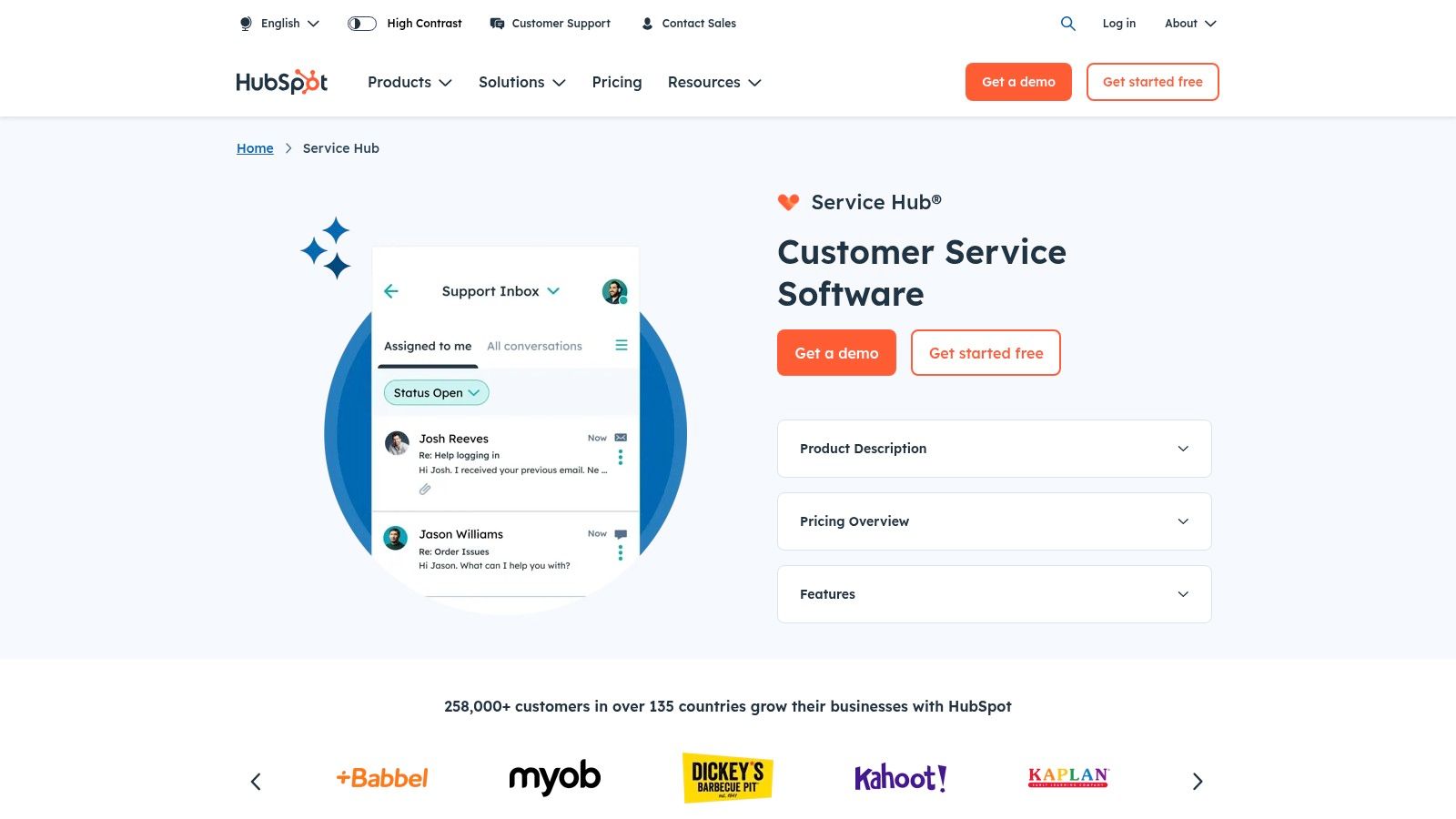
Imagine a customer support manager needing to understand why their average resolution time is increasing. With HubSpot Service Hub's custom reporting dashboards, they can quickly pinpoint bottlenecks, identify agents requiring further training, and track the impact of new service strategies on key metrics like ticket volume and customer satisfaction (CSAT). This granular view extends beyond the call center itself, integrating with HubSpot's CRM to offer valuable context on each customer's journey and interactions across all touchpoints. For example, a real estate agent can see past communication history, property inquiries, and even website activity alongside call center metrics, enabling a more personalized and efficient service experience.
HubSpot Service Hub caters to diverse needs, from tracking service level agreements (SLAs) to measuring team productivity and efficiency. Healthcare providers can monitor patient call volumes, satisfaction scores, and the effectiveness of phone-based appointment scheduling. Enterprise IT managers can leverage the platform for internal helpdesk reporting, tracking incident resolution times, and identifying recurring technical issues. The platform's scalability makes it suitable for businesses of all sizes, from small teams to large enterprises.
Features:
- Custom reporting dashboards for call center metrics
- Customer feedback surveys and CSAT tracking
- Service level agreement (SLA) tracking and reporting
- Team productivity and efficiency metrics
- Customer journey analytics across touchpoints
Pros:
- Seamless integration with HubSpot's marketing and sales platforms, creating a unified view of the customer journey.
- Strong customer context capabilities through CRM integration, leading to more personalized service.
- User-friendly interface requiring minimal training, reducing onboarding time and effort.
- Scalable from small teams to enterprise organizations, accommodating diverse needs and growth trajectories.
Cons:
- While powerful, Service Hub isn't specifically designed for high-volume, traditional call centers. Some businesses might require third-party integrations for features like advanced call routing or workforce optimization.
- Certain advanced call metrics may require customization within the reporting dashboards. While flexibility is a plus, it might require some technical know-how or consulting support.
- Comprehensive reporting features are often tied to higher subscription tiers. Businesses should carefully evaluate their needs and budget to select the appropriate tier.
Implementation Tips:
- Define your key call center metrics before setting up your dashboards. This clarity will ensure you track the most relevant data for your business objectives.
- Leverage HubSpot's training resources and documentation to maximize the platform's capabilities.
- Integrate your existing CRM data with HubSpot Service Hub to unlock the full potential of customer context and personalized service.
Pricing: HubSpot Service Hub offers tiered pricing plans, starting with a free version with limited features. Paid plans offer more advanced reporting and functionalities. Detailed pricing is available on the HubSpot website.
Website: https://www.hubspot.com/products/service
HubSpot Service Hub deserves its place on this list due to its integrated approach to call center metrics. It offers businesses the ability to analyze call data within the broader context of the customer relationship, leading to valuable insights and improved customer experiences. While it might not be a perfect fit for every call center, its robust features and seamless CRM integration make it a powerful tool for many businesses, particularly those already within the HubSpot ecosystem.
Call Center Metrics Dashboard Tools Comparison
| Solution | Core Features & Integration ✨ | User Experience & Quality ★★★★☆ | Value & Pricing 💰 | Target Audience 👥 | Unique Selling Points 🏆 |
|---|---|---|---|---|---|
| Zendesk Explore | Real-time KPIs, Zendesk Talk integration, custom dashboards | Intuitive drag/drop, powerful analytics | Premium pricing 💰💰, best for Zendesk users | Mid-large call centers | Deep Zendesk ecosystem integration |
| Freshdesk Contact Center | Real-time agent status, call recording, custom metrics | User-friendly UI, strong mobile app | Competitive 💰, suits SMBs | Small to mid-sized call centers | Mobile monitoring, easy onboarding |
| Talkdesk | AI-powered analytics, omnichannel, wallboards | Enterprise-grade reliability, customizable KPIs | Higher price 💰💰💰, enterprise focus | Enterprise call centers | AI predictive analytics, 100% uptime SLA |
| Five9 | Real-time + historical dashboards, CRM integration | Scalable, rich feature set | High investment 💰💰, complex setup | Large enterprises | Workforce mgmt, 200+ reports, CRM integrations |
| Geckoboard | Drag-and-drop dashboards, TV mode, broad integrations | Extremely user-friendly, affordable | Affordable 💰💰, dashboard-only solution | Teams needing visual dashboards | Focus on clarity & visibility, flexible integrations |
| Zoho Analytics | AI reporting assistant, data blending, white-labeling | Feature-rich but complex interface | Excellent value 💰💰, cloud/on-premises options | Businesses needing BI & dashboards | Robust data manipulation, part of Zoho ecosystem |
| Databox | Pre-built KPI templates, 70+ integrations, alerts | Streamlined UI, mobile apps | Competitive 💰, free starter plan | Small to mid-sized businesses | Fast setup, strong alerting system |
| HubSpot Service Hub | Custom reports, CSAT tracking, SLA monitoring | User-friendly, CRM enriched dashboards | Mid-tier pricing 💰💰, integrated with HubSpot ecosystem | Small to enterprise customer svc | CRM-powered service insights, customer journey focus |
Choosing the Right Call Center Metrics Dashboard
Navigating the world of call center metrics dashboards can feel overwhelming with so many powerful options available. From the robust reporting of Zendesk Explore and Freshdesk Contact Center to the advanced capabilities of Talkdesk and Five9, and the customizable dashboards of Geckoboard, Zoho Analytics, Databox, and HubSpot Service Hub, each tool offers unique strengths. The key takeaway is to carefully consider your specific business needs. Do you prioritize real-time analytics? Are seamless integrations with your existing CRM crucial? What’s your budget? These are vital questions to answer before making a decision. If you’re looking to optimize agent performance, improve customer satisfaction, or boost your bottom line, selecting the right call center metrics dashboard is paramount. For a deeper dive into the strategic use of dashboards and the KPIs they should track, explore this comprehensive guide on call center metrics dashboards from Call Criteria, which offers valuable insights into using these tools for success.
Implementing your chosen dashboard effectively is just as important as selecting the right one. Ensure your team is properly trained on the new system and that you establish clear reporting procedures. Regularly review your chosen KPIs and make adjustments to your strategies based on the data you gather. Remember, the ultimate goal is to leverage these tools to create a more efficient, customer-centric call center experience. By making data-driven decisions, you can empower your agents, enhance customer interactions, and drive significant business growth.
Ready to take your call center to the next level? Explore how Voicetta can complement your chosen call center metrics dashboard with advanced AI-powered features and seamless integrations, providing deeper insights into your customer interactions and further optimizing your performance.
Was this useful?
If this article helped, add Voicetta as a preferred source in Google Search. Your results can then highlight our writing.
Add as preferred source