

Blog
Top Enterprise Communication Solutions for 2025
Streamlining communication is critical for any successful business. Scattered emails, missed calls, and inefficient messaging cost time and money. This listicle prese...
Connecting Your Business in 2025: The Top Enterprise Communication Solutions
Streamlining communication is critical for any successful business. Scattered emails, missed calls, and inefficient messaging cost time and money. This listicle presents the top 10 enterprise communication solutions for 2025, designed to solve these very problems. We'll break down the pros and cons of each platform—from industry giants like Microsoft Teams and Cisco Webex to rising stars like Voicetta and Mattermost—giving you the insights you need to choose the best enterprise communication solutions for your team. Explore the key features of Voicetta, Microsoft Teams, Slack, Zoom, Cisco Webex, Google Workspace, RingCentral MVP, Mattermost, Workplace from Meta, and 8x8 X Series, and empower your business to thrive.
1. Voicetta
Imagine a world where your business never misses a customer interaction, no matter the time of day. Voicetta, a cutting-edge AI communication platform, makes this a reality. It deploys 24/7 intelligent voice and chat agents that engage with customers, capture leads, qualify prospects, and even schedule appointments, all while sounding remarkably human. This seamless automation allows your human team to focus on high-value tasks and strategic initiatives, rather than getting bogged down with routine inquiries.
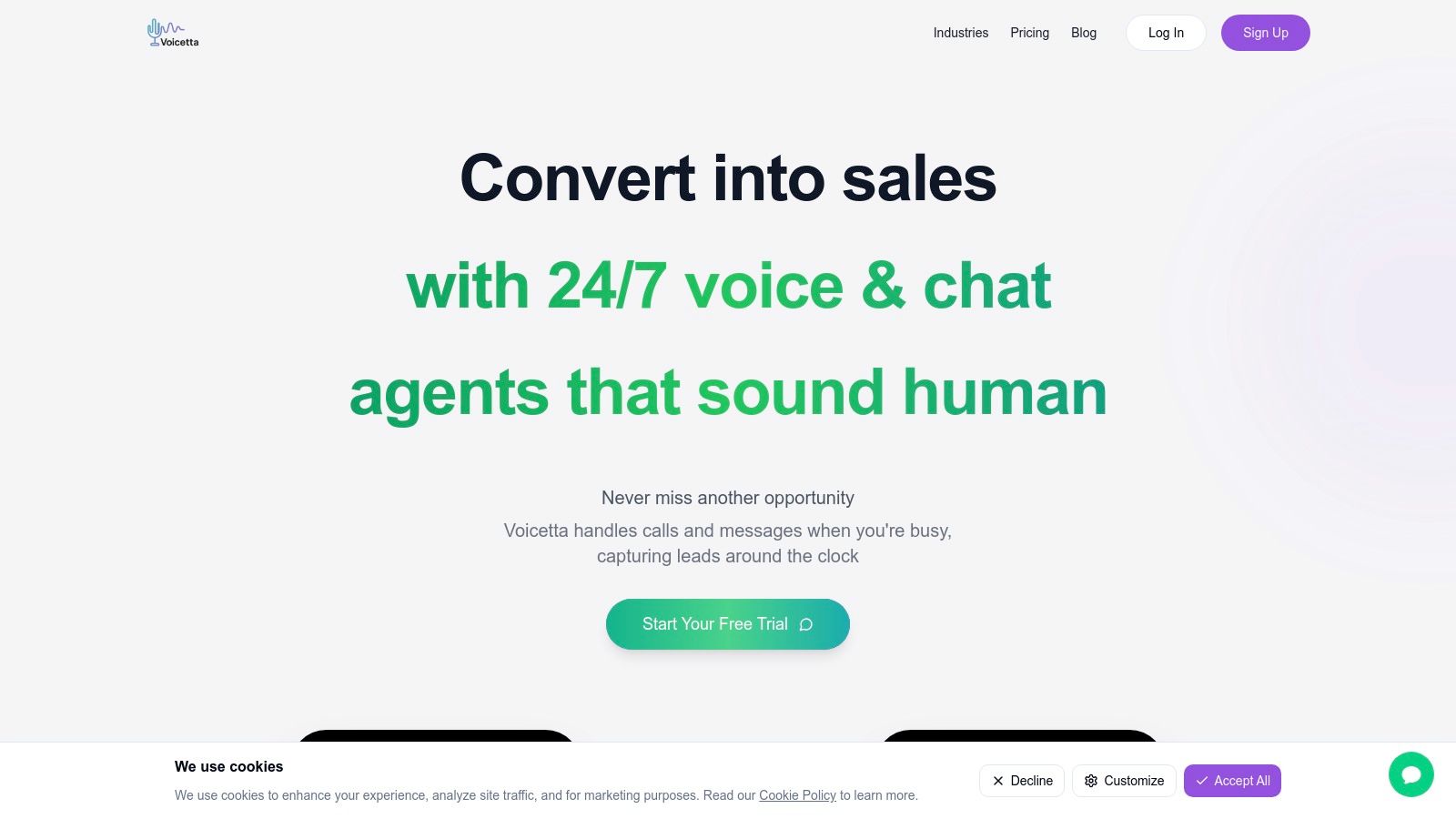
Voicetta earns its top spot on this list of enterprise communication solutions because it bridges the gap between customer expectations for instant service and the practical limitations of staffing a 24/7 human team. Whether you're a customer support manager struggling with high call volumes, a hospitality professional aiming to personalize guest experiences, a real estate agent juggling multiple client inquiries, a healthcare provider streamlining appointment scheduling, or an enterprise IT manager seeking efficient communication workflows, Voicetta offers a transformative solution. Its ability to integrate smoothly with existing enterprise systems like CRM, PMS, and ERP makes it an incredibly versatile tool across various industries. For instance, a hotel can use Voicetta to handle reservation inquiries, answer frequently asked questions about amenities, and even manage wake-up calls, freeing up front desk staff to focus on personalized guest interactions. Similarly, a busy real estate office can leverage Voicetta to qualify leads, schedule showings, and answer property-related questions, enabling agents to dedicate more time to closing deals.
Voicetta boasts impressive results, including an 85% improvement in response time and a remarkable 60% reduction in support workload. These efficiency gains translate into tangible business growth, with users reporting a 35% average increase in lead conversions and an ROI exceeding 300% within the first 30 days. Learn more about Voicetta and how it helps businesses thrive. While pricing and specific technical requirements aren't readily available, the platform offers a 14-day free trial, allowing businesses to test its capabilities firsthand. This trial period is crucial for customization and training the AI to align with specific business needs and communication styles.
Pros:
- Provides 24/7 human-like voice and chat AI agents to capture every customer lead and inquiry.
- Integrates seamlessly with major enterprise platforms (CRM, PMS, ERP) for unified communication.
- Reduces response times by 85% and support workload by 60%, allowing teams to handle complex tasks.
- Delivers measurable impact: 35% higher conversion rates and 300%+ ROI within the first month.
- Enterprise-level data security with SOC2, GDPR compliance, and optional HIPAA configurations.
Cons:
- Some businesses may require an initial customization and training period to fully optimize AI performance.
- As with any AI solution, occasional misunderstandings may occur; escalation paths must be in place to resolve complex queries.
Voicetta transforms customer communications into personalized experiences that drive revenue and optimize operational efficiency. While other AI-powered communication tools exist, Voicetta distinguishes itself through its impressive ROI, seamless integrations, and focus on delivering human-like interactions. By automating routine tasks and providing 24/7 availability, Voicetta empowers your team to focus on what truly matters: building relationships and growing your business. Visit https://voicetta.com to learn more and start your free trial.
2. Microsoft Teams: Your Central Hub for Enterprise Communication Solutions
For businesses seeking a comprehensive and integrated enterprise communication solution, Microsoft Teams is a strong contender. It seamlessly blends chat, video conferencing, file sharing, and application integration into a single platform, making it a powerful tool for boosting team productivity and streamlining workflows. This, combined with its robust security features and scalability, makes it ideal for organizations of all sizes, from small businesses to large corporations. Whether your team is made up of customer support managers needing quick access to information, hospitality professionals coordinating guest services, real estate agents collaborating on deals, healthcare providers sharing patient data securely, or enterprise IT managers overseeing complex systems, Teams offers a solution to meet a diverse range of communication needs.
One of the key strengths of Microsoft Teams lies in its deep integration with the Microsoft 365 ecosystem. If your organization already utilizes tools like Word, Excel, PowerPoint, and SharePoint, Teams provides a central hub to access and collaborate on these documents in real-time. Imagine a scenario where your marketing team is working on a presentation: they can co-author the PowerPoint deck within Teams, discuss changes in the chat, and even jump on a quick video call to finalize the details, all without leaving the platform. This tight integration significantly reduces context switching and enhances workflow efficiency. Learn more about Microsoft Teams for in-depth analysis and use cases.
Teams shines in its video conferencing capabilities, supporting meetings with up to 1,000 participants. Features like real-time transcription, background blur, and suggested replies powered by AI further enhance the meeting experience. For larger organizations, these functionalities are invaluable for town halls, training sessions, and large-scale conferences.
Customizable workspaces within Teams, organized through channels, tabs, and third-party app integration, allow teams to create dedicated spaces for specific projects or departments. This fosters focused communication and ensures relevant information is easily accessible to the right people. For instance, a customer support team can have a dedicated channel for handling urgent customer issues, while a sales team can have separate channels for different regions or product lines. This granular control allows teams to organize their work effectively and minimize distractions.
From a security perspective, Teams boasts enterprise-grade features like data encryption and multi-factor authentication, critical for safeguarding sensitive information. Compliance capabilities further ensure that the platform meets industry regulations, providing peace of mind for IT managers and business owners alike, especially those operating in highly regulated industries like healthcare.
While Microsoft Teams offers a powerful suite of features, it's important to be aware of its potential drawbacks. The platform can be resource-intensive, particularly on older or less powerful computers. There might also be a learning curve for teams transitioning from simpler communication tools. Furthermore, full functionality requires a Microsoft 365 subscription, which can be a cost consideration for some organizations. Finally, some users have reported occasional performance issues, especially in very large meetings.
Pros:
- Deep integration with Microsoft ecosystem provides seamless workflow
- Robust enterprise-grade security and compliance controls
- Highly scalable for organizations of any size
- Continually updated with new features and improvements
Cons:
- Can be resource-intensive on slower computers
- Learning curve for organizations transitioning from simpler tools
- Full functionality requires Microsoft 365 subscription
- Some users report occasional performance issues with large meetings
Website: https://www.microsoft.com/en-us/microsoft-teams/group-chat-software
Microsoft Teams deserves its place on this list because it offers a comprehensive and integrated solution that addresses the diverse communication needs of modern enterprises. Its focus on collaboration, security, and scalability makes it a valuable asset for businesses looking to enhance productivity and streamline their operations. While some drawbacks exist, the continuous improvements and robust feature set make Teams a compelling option for many organizations looking for a robust enterprise communication solution. For CEOs and CTOs looking for a unified communication platform that can grow with their business, Teams offers a compelling solution to explore.
3. Slack
Slack has become a ubiquitous name in the world of enterprise communication solutions, and for good reason. It’s a channel-based messaging platform designed to centralize communication and connect people with the information they need, making it a powerful tool for streamlining workflows and fostering collaboration. Instead of relying on scattered email chains and endless meetings, Slack organizes conversations into dedicated channels, making it easy to find and follow relevant discussions. This helps teams stay organized and focused, minimizing distractions and boosting productivity. Now under the Salesforce umbrella, Slack offers robust enterprise-grade features, including unlimited message history (on paid plans), advanced security controls, and extensive integration capabilities with over 2,400 apps in its ecosystem. Its core design philosophy centers around reducing email reliance and making work more efficient, a goal it achieves admirably for many organizations.
For customer support managers, Slack can be transformative, enabling teams to swiftly resolve customer issues in dedicated channels, share best practices, and access knowledge bases seamlessly. Hospitality professionals can use Slack to coordinate staff across departments, manage bookings, and respond to guest requests in real-time. Real estate agents can benefit from streamlined communication with clients, sharing property details and scheduling viewings efficiently within dedicated channels. Healthcare providers can leverage Slack for secure messaging among colleagues, ensuring patient information is shared quickly and confidentially while adhering to HIPAA compliance regulations (with the correct plan and setup). Enterprise IT managers appreciate Slack's robust security features and extensive integration capabilities, enabling seamless connection with existing IT infrastructure and tools. Business owners, CEOs, and CTOs can use Slack to maintain a pulse on their organizations, fostering transparent communication and efficient decision-making.
Slack offers a variety of features, including channel-based messaging with threaded conversations, powerful search functionality across all messages and files, over 2,400 app integrations, and an extensive API for custom solutions. It also boasts enterprise-grade security and compliance features, Huddles for quick audio conversations, and Clips for asynchronous video messages. These features, coupled with an intuitive, user-friendly interface, contribute to high adoption rates across diverse industries.
Pros: Slack's intuitive interface fosters high adoption rates, its integration capabilities extend to virtually any business tool, its robust search functionality makes information retrieval easy, and it delivers an excellent mobile experience across all devices.
Cons: Managing numerous channels and notifications can become overwhelming. Premium features require paid plans, which can become costly for large organizations. Slack's native video conferencing capabilities are somewhat limited compared to dedicated video conferencing solutions. Finally, the free tier comes with message history limitations.
Pricing: Slack offers a free plan with limited features, as well as paid plans with increasing functionality and storage capacity. Pricing details can be found on their website.
Technical Requirements: Slack is accessible via web browser, desktop applications (Windows, macOS, Linux), and mobile apps (iOS, Android).
Implementation Tips: Start by defining clear channel structures and communication guidelines. Encourage team members to actively participate and integrate relevant business tools. Regularly audit channels and archive inactive ones to maintain a streamlined experience.
Comparison: While tools like Microsoft Teams and Google Chat offer similar functionalities, Slack often stands out due to its broader app ecosystem and its user-friendly interface. However, choosing the best solution ultimately depends on specific organizational needs and existing infrastructure.
Slack deserves its place on this list due to its comprehensive features, user-friendly interface, and extensive integration capabilities. It's a powerful enterprise communication solution that can transform how teams communicate and collaborate, leading to increased productivity and improved workflows. Learn more at https://slack.com/enterprise.
4. Zoom
Zoom has become almost synonymous with video conferencing, but it's much more than just a tool for virtual meetings. It's a robust enterprise communication solution offering a comprehensive suite of features designed to streamline communication and collaboration for businesses of all sizes, making it a worthy contender on this list. From small startups to large corporations, Zoom provides the tools necessary to connect teams across geographical boundaries and improve overall productivity. This platform is particularly relevant for Customer Support Managers, Hospitality Professionals, Real Estate Agents, Healthcare Providers, Enterprise IT Managers, business owners, CEOs, and CTOs looking for a versatile and scalable communication platform.
Zoom's core strength lies in its high-quality video and audio capabilities, even with limited bandwidth. This is crucial for businesses that rely on clear communication, such as healthcare providers conducting virtual consultations or real estate agents hosting virtual property tours. The intuitive interface requires minimal training, meaning users can quickly adapt and start using the platform effectively, saving valuable time and resources. Learn more about Zoom for insights into how various industries leverage this platform.
For enterprise-level use, Zoom Enterprise offers advanced features catering to the complex needs of large organizations. These include dedicated customer success managers to provide personalized support, unlimited cloud storage for recording and storing meetings, and managed domains for enhanced security and control. This makes it a powerful tool for Enterprise IT Managers responsible for deploying and managing communication infrastructure.
Key Features & Benefits:
- High-quality video meetings: Host meetings with up to 1,000 participants, ensuring seamless communication even in large group settings. This is ideal for company-wide announcements, training sessions, or large conferences.
- Advanced meeting controls: Leverage breakout rooms for smaller group discussions, conduct polls for real-time feedback, and record meetings for later review. These features are especially valuable for training sessions, team meetings, and webinars.
- Zoom Phone: A cloud phone system with global calling capabilities, consolidating communication channels and simplifying management for businesses. This is particularly useful for customer support teams and businesses with international operations.
- Robust security: End-to-end encryption and other security features ensure data privacy and protect sensitive information, addressing previous security concerns and building trust among users.
- Zoom Rooms: Dedicated conference room solutions that integrate seamlessly with Zoom's platform, providing a consistent and professional meeting experience. This is perfect for Hospitality Professionals and businesses that frequently host in-person meetings.
- Scalability: Easily scale from small team meetings to enterprise-wide deployments, adapting to the evolving needs of your business.
Pros:
- Exceptional video and audio quality even with limited bandwidth
- Intuitive interface requires minimal training
- Scalable from small teams to enterprise-wide deployments
- Continuous innovation with regular feature updates
Cons:
- Enterprise pricing can be expensive for large deployments
- Not as deeply integrated with document collaboration as some competitors (like Microsoft Teams)
- Can face challenges with extremely large meetings or webinars
Pricing: Zoom offers various pricing plans, including a free basic plan and tiered paid plans for businesses and enterprises. Contact Zoom directly for specific enterprise pricing details as these often vary based on user count and required features.
Technical Requirements: Zoom is compatible with various operating systems (Windows, macOS, Linux, iOS, Android) and requires a stable internet connection. Specific hardware requirements for Zoom Rooms vary depending on the setup.
Implementation/Setup Tips:
- Pilot program: Start with a small pilot program to familiarize users with the platform and gather feedback before a full-scale deployment.
- Training resources: Utilize Zoom's extensive training resources and documentation to ensure users understand the platform's features and functionalities.
- Integration with existing systems: Explore integrations with existing CRM, calendar, and other business applications to streamline workflows.
Zoom provides a powerful and versatile platform for enterprise communication solutions. Its focus on high-quality video and audio, coupled with advanced features and robust security, makes it an excellent choice for businesses looking to enhance communication and collaboration. While the enterprise pricing can be a consideration, the platform's scalability and continuous innovation make it a valuable investment for organizations of all sizes. You can explore Zoom's enterprise offerings at https://zoom.us/enterprise.
5. Cisco Webex: A Stalwart Solution for Enterprise Communication
Cisco Webex has long been a cornerstone in the enterprise communication solutions landscape, offering a robust suite of tools designed for secure and reliable collaboration. For businesses prioritizing stability, compliance, and a comprehensive feature set, Webex remains a strong contender. This platform is particularly well-suited for demanding environments in sectors like healthcare, finance, and government where data security and regulatory compliance are paramount.
Imagine a global pharmaceutical company needing to coordinate research efforts across multiple continents. With Webex's HD video conferencing, complete with noise removal and speech enhancement, scientists can seamlessly share findings and discuss complex data as if they were in the same room. The AI-powered real-time transcription and translation features further break down communication barriers, ensuring everyone stays on the same page, regardless of language. This same technology can be leveraged by a busy hospital, connecting specialists for remote consultations or enabling real-time collaboration during surgical procedures.
Beyond video conferencing, Webex offers a comprehensive ecosystem:
- Webex Meetings: The core offering, providing high-quality video and audio conferencing for meetings and webinars.
- Webex Teams: Facilitates persistent team collaboration with chat, file sharing, and task management. This allows teams to continue working together seamlessly between meetings. Think of a real estate team coordinating client communications and document sharing, all within a secure, centralized platform.
- Webex Calling: A cloud-based phone system that integrates directly with the Webex platform, streamlining communications. Customer support managers can utilize this to efficiently route calls, manage queues, and maintain detailed call logs.
- Webex Contact Center: A robust platform for handling high volumes of customer interactions, ideal for large organizations with dedicated customer support teams.
Webex shines in its enterprise-grade security features and compliance certifications. End-to-end encryption and advanced administrative controls ensure data confidentiality and integrity, meeting the stringent requirements of regulated industries. Furthermore, Cisco's global network of data centers guarantees high availability and reliable service, minimizing downtime and ensuring business continuity.
While the comprehensive nature of Webex is a strength, it also contributes to some of its drawbacks. The interface, while functional, can feel dated compared to some newer competitors. The platform also comes with a higher price point, reflecting its enterprise-grade features and robust infrastructure. Full enterprise deployment can be complex, often requiring specialized IT support. Finally, while the mobile experience is functional, it’s not as polished or feature-rich as the desktop version.
Pros:
- Enterprise-grade security with compliance certifications
- Highly reliable service with global data centers
- Comprehensive ecosystem spanning software and hardware
- Strong capabilities for regulated industries
Cons:
- Interface can feel less modern
- Higher price point
- Complex deployment for full enterprise implementation
- Mobile experience could be improved
Pricing: Webex offers various plans tailored to different business needs, starting with free options for basic functionality and scaling up to enterprise plans with advanced features and support. Specific pricing is available on their website.
Technical Requirements: Webex supports a wide range of operating systems and devices. Detailed technical requirements are available on the website.
Implementation Tips: For large-scale deployments, engaging with Cisco or a certified partner is highly recommended to ensure a smooth implementation process and optimize the platform for your specific needs.
If your business prioritizes security, reliability, and a feature-rich platform backed by a long-standing industry leader, Cisco Webex is a worthy investment. Explore their website for more details: https://www.webex.com/enterprise.html
6. Google Workspace: A Unified Platform for Enterprise Communication
Google Workspace, formerly known as G Suite, stands as a comprehensive enterprise communication solution that seamlessly blends communication and collaboration tools. Imagine a centralized hub where your team can effortlessly communicate through email (Gmail), video conferencing (Google Meet), and instant messaging (Google Chat), while simultaneously collaborating on documents, spreadsheets, and presentations (Google Docs, Sheets, and Slides). This integrated approach streamlines workflows, boosts productivity, and keeps all communication and documentation within a secure, unified ecosystem. This makes Google Workspace an ideal choice for a variety of professionals, from customer support managers coordinating responses to hospitality professionals managing bookings, and even busy CEOs managing strategic decisions.
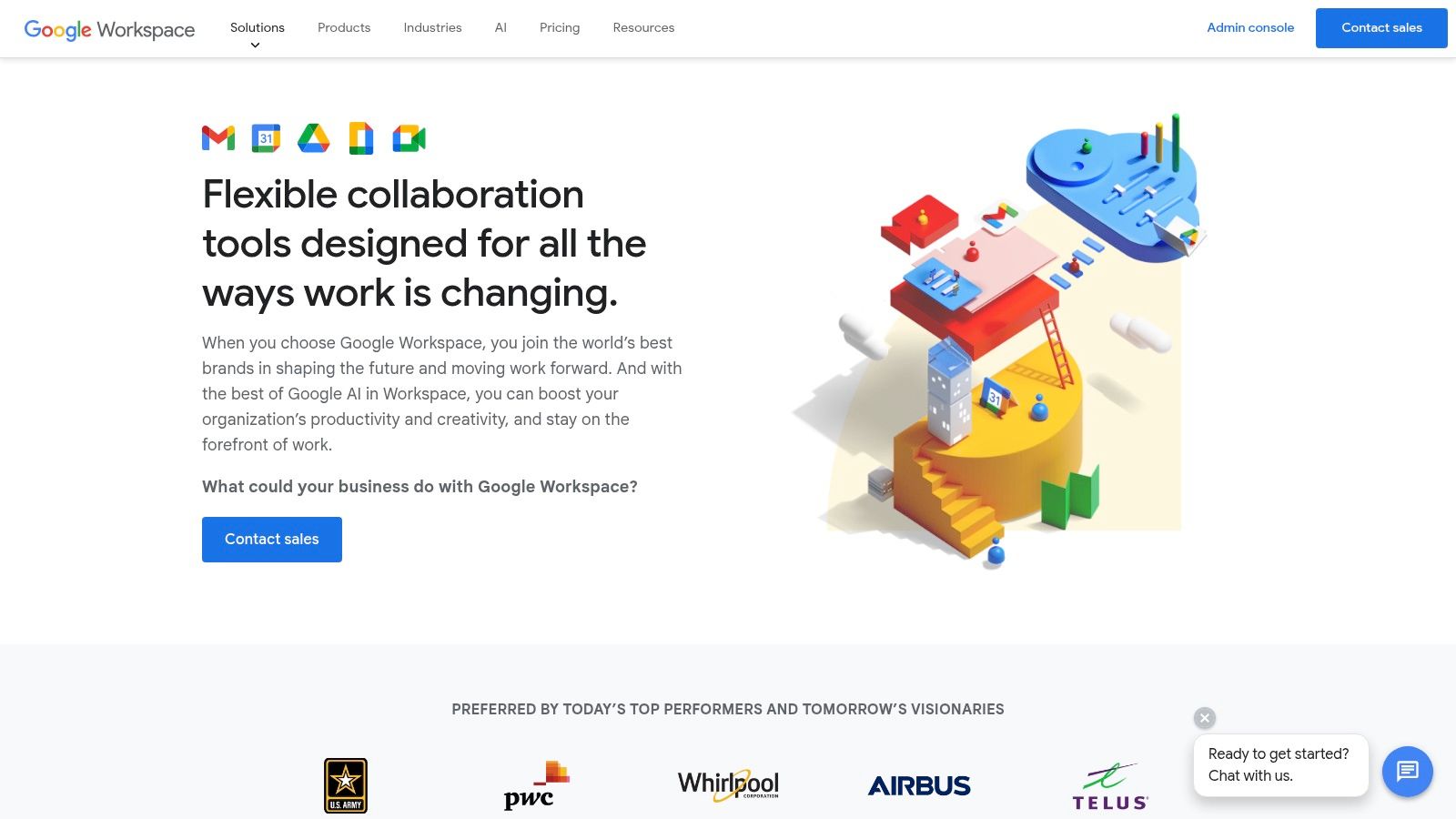
For enterprise IT managers, the Google Workspace Enterprise edition offers advanced security controls, including enterprise-grade encryption and data loss prevention, ensuring your sensitive business information remains protected. Enhanced support and unlimited storage further cater to the complex requirements of large organizations. Healthcare providers can leverage secure communication and file sharing for patient data, while real estate agents can efficiently manage contracts and client communications, all within the secure confines of Google Workspace.
Features and Benefits:
- Gmail for Business: Professional email addresses with custom domains and enhanced security features like spam filtering and phishing protection.
- Google Meet: High-quality video conferencing for up to 500 participants, ideal for team meetings, training sessions, and client presentations. This is a valuable feature for businesses of all sizes, from small startups holding team meetings to large corporations conducting webinars.
- Google Chat: Real-time team messaging and collaboration, facilitating quick communication and information sharing. This is particularly beneficial for customer support teams who need to respond quickly to customer inquiries.
- Real-Time Collaboration: Simultaneous editing and commenting on documents, spreadsheets, and presentations fosters teamwork and accelerates project completion. This feature is a game-changer for teams working on proposals, marketing materials, and other collaborative projects.
- Advanced Security & Admin Controls: Enterprise-grade encryption, data loss prevention, and granular administrative controls provide peace of mind for IT managers concerned about data security and compliance.
Pros:
- Seamless Integration: The tight integration between communication and productivity tools eliminates the need to switch between different applications, saving time and increasing efficiency.
- Intuitive Interface: The familiar Google interface requires minimal training, ensuring quick adoption across the organization.
- Cloud-Native Solution: Benefit from Google's robust cloud infrastructure, guaranteeing high reliability, uptime, and scalability.
- Continuous Innovation: Google Workspace constantly evolves with new features and improvements, ensuring your enterprise communication solution stays cutting-edge.
Cons:
- Microsoft Ecosystem Challenges: Organizations heavily reliant on Microsoft products might face integration challenges and user adoption hurdles.
- Feature Depth: While comprehensive, some features might lack the depth offered by specialized solutions in specific areas.
- Offline Capabilities: Limited offline functionality compared to traditional desktop applications can be a drawback for users who frequently work without internet access.
- Privacy Concerns: Some organizations might have privacy concerns regarding Google's data practices.
Pricing and Technical Requirements:
Google Workspace offers various pricing plans based on storage, features, and the number of users. Detailed pricing information can be found on the Google Workspace website. Technical requirements are minimal, primarily requiring a compatible web browser and a stable internet connection.
Implementation Tips:
- Phased Rollout: Implement Google Workspace in phases, starting with a pilot group to identify and address any potential issues before a company-wide deployment.
- Training and Support: Provide adequate training and support to users to ensure smooth adoption and maximize the benefits of the platform.
- Integration with Existing Systems: Explore integration options with existing enterprise systems to streamline data flow and avoid data silos.
Why Google Workspace Deserves Its Place on the List:
Google Workspace earns its spot as a leading enterprise communication solution due to its comprehensive suite of integrated tools, intuitive interface, robust cloud infrastructure, and continuous innovation. Its focus on collaboration, communication, and security makes it a powerful platform for businesses of all sizes, from startups to large enterprises, across diverse industries.
Website: https://workspace.google.com/enterprise/
7. RingCentral MVP: A Unified Solution for Enterprise Communication
For businesses seeking a comprehensive upgrade to their communication infrastructure, RingCentral MVP (Message, Video, Phone) stands out as a powerful contender among enterprise communication solutions. This unified platform seamlessly integrates team messaging, video conferencing, and a robust cloud phone system, effectively replacing the need for multiple disparate systems. This consolidation not only streamlines communications but also offers potential cost savings in the long run, making it an attractive option for customer support managers, hospitality professionals, real estate agents, healthcare providers, enterprise IT managers, business owners, CEOs, and CTOs alike.
Imagine a scenario where your customer support team can instantly switch from a text chat with a client to a video call, all within the same platform. RingCentral MVP makes this a reality. Its cloud phone system boasts advanced call management features like routing and analytics, giving your team the tools to handle high call volumes efficiently. Need to collaborate on a project? HD video meetings with screen sharing and recording capabilities facilitate seamless teamwork, regardless of location. Internal communication flows smoothly with team messaging that includes file sharing and task management, keeping everyone connected and productive.
RingCentral MVP's strength lies in its ability to act as a true unified communications hub. Unlike some competitors that offer piecemeal solutions, RingCentral combines all essential communication tools into a single platform. This is a significant advantage for enterprises looking to simplify their IT infrastructure and improve team collaboration. Its open platform, boasting 300+ pre-built integrations and APIs, further enhances its versatility, allowing seamless integration with existing business applications like CRM and project management software. This interoperability is a game-changer for businesses looking to streamline workflows and maximize efficiency. Global coverage in over 100 countries, with local numbers and toll-free options, makes it a particularly compelling solution for multinational organizations.
One of RingCentral MVP's key selling points is its reliability. With a 99.999% uptime SLA, you can trust that your communication system will be available when you need it most. This five-nines uptime guarantee is crucial for businesses that rely heavily on communication for their day-to-day operations. Furthermore, its flexible deployment options, including hybrid environments, cater to the diverse needs of enterprises of all sizes.
While RingCentral MVP offers a compelling package, it's essential to consider the potential drawbacks. The platform can be more expensive than some competitors, particularly when opting for advanced features. Learn more about RingCentral MVP to understand the different pricing tiers and features offered. The interface, while functional, might not be as intuitive as some specialized collaboration tools. Similarly, the video conferencing features, while robust for general use, might not be as feature-rich as dedicated video conferencing solutions. Finally, implementing RingCentral MVP can be complex for large organizations, requiring careful planning and execution.
Pros:
- True unified communications replacing multiple systems
- Highly reliable infrastructure with five-nines uptime guarantee
- Excellent voice quality and advanced telephony features
- Flexible deployment options including hybrid environments
- Extensive integrations with business applications
Cons:
- Higher cost compared to some competitors
- Interface not as intuitive as some specialized tools
- Video conferencing features less robust than dedicated solutions
- Implementation can be complex for large organizations
Despite these potential drawbacks, RingCentral MVP earns its place on this list of enterprise communication solutions because of its comprehensive features, robust reliability, and potential for streamlining business communications. For enterprises seeking a single, powerful platform to handle all their communication needs, RingCentral MVP deserves serious consideration. You can explore more about their enterprise solutions on their website.
8. Mattermost: Secure and Customizable Enterprise Communication
For organizations prioritizing security and control over their communication infrastructure, Mattermost emerges as a powerful enterprise communication solution. Imagine having a platform similar to Slack, but entirely within your control, residing within your own private cloud. This open-source platform offers a robust alternative to commercial messaging platforms, giving enterprises complete ownership of their data, a critical factor in today's data-sensitive environment. This makes it particularly attractive for industries with strict regulatory requirements, like finance, government, and healthcare, where data sovereignty is paramount. Mattermost allows these organizations to maintain compliance while fostering seamless communication and collaboration.
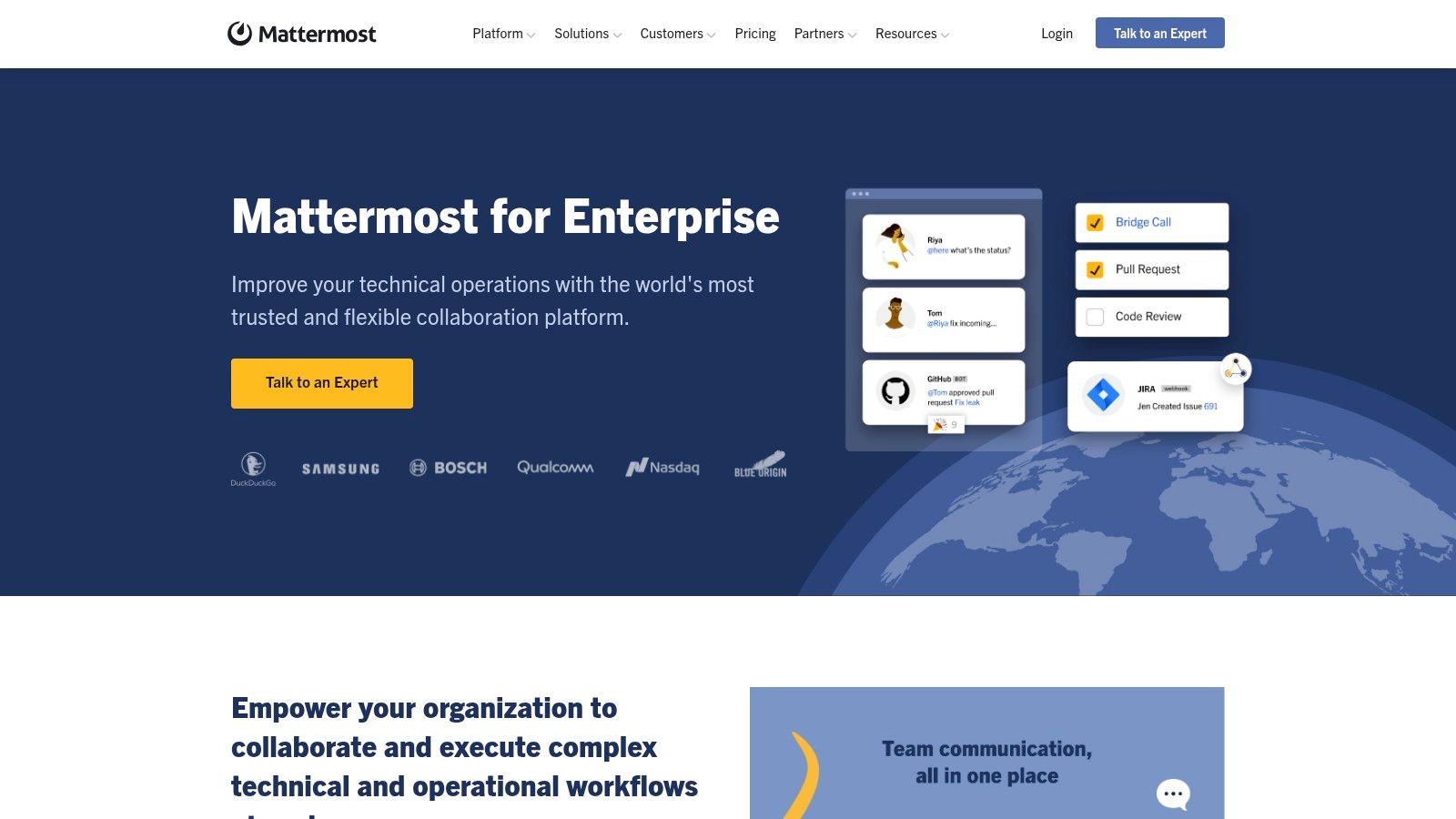
Mattermost shines through its channel-based messaging, facilitating threaded conversations and efficient file sharing. Think of streamlining communication within teams for project updates, customer support responses, or inter-departmental collaborations. For a CTO, this translates to improved team productivity and reduced reliance on scattered email chains. A healthcare provider can utilize Mattermost for secure communication regarding patient information, adhering to HIPAA compliance requirements. Similarly, a government agency can leverage the platform for secure internal communication, knowing their sensitive data remains within their control.
The platform’s extensibility through open APIs and webhooks allows for deep customization, a significant advantage for businesses with unique workflows. This allows IT managers to integrate Mattermost with existing enterprise systems, automating tasks and improving overall efficiency. For example, a real estate agency could integrate Mattermost with their CRM to automatically notify agents of new leads, directly within their communication platform.
While Mattermost offers a plethora of advantages, including complete control over data and infrastructure, extensive customization possibilities, and avoidance of vendor lock-in, it's crucial to acknowledge the technical expertise required for deployment and maintenance. Unlike plug-and-play SaaS solutions, Mattermost demands dedicated IT resources. Additionally, while its integration ecosystem is growing, it currently offers fewer third-party integrations compared to commercial alternatives. Its video and voice capabilities, while functional, may not be as polished as dedicated solutions.
Pricing: Mattermost offers a variety of pricing plans, from a free self-hosted option to enterprise-grade plans with advanced features and support. Contact Mattermost directly for specific pricing details.
Technical Requirements: Mattermost can be deployed on various operating systems, including Linux, Windows, and macOS. Specific requirements depend on the scale of deployment and desired features. Consult the Mattermost documentation for detailed instructions.
Implementation Tips:
- Start small: Begin with a pilot group to test and refine your Mattermost deployment before rolling it out company-wide.
- Customize strategically: Leverage the open APIs and webhooks to integrate Mattermost with existing tools and automate workflows.
- Invest in training: Ensure your team understands how to use Mattermost effectively to maximize its benefits.
For organizations requiring stringent security and customization, Mattermost provides an excellent enterprise communication solution, earning its place on this list. Its open-source nature, combined with robust features, makes it a compelling alternative to commercial platforms, giving businesses complete control over their communication landscape. To explore further, visit the Mattermost website: https://mattermost.com/enterprise/
9. Workplace from Meta
Workplace from Meta offers a unique approach to enterprise communication solutions, leveraging the familiarity of Facebook to connect everyone in your organization, from the CEO to frontline workers. Imagine your entire company communicating with the ease and engagement they experience on social media – that's the promise of Workplace. This platform deserves a spot on this list because it excels at fostering company culture, facilitating top-down communication, and reaching employees wherever they are, making it particularly appealing for organizations with dispersed teams or a large frontline workforce.
Think of it this way: Customer Support Managers can use Workplace groups for quick problem-solving and knowledge sharing. Hospitality Professionals can instantly communicate shift changes or guest requests. Real Estate Agents can share listings and market updates in real-time. Healthcare providers can use it for secure communication and collaboration, while Enterprise IT Managers can leverage it for company-wide announcements and IT support. Even CEOs can use Workplace to connect directly with employees and build rapport.
Workplace shines with its familiar interface. The News Feed, groups, and messaging features require minimal training, allowing employees to quickly adapt and engage. Live video broadcasting, complete with automatic translation capabilities, becomes a powerful tool for company-wide announcements, town halls, and training sessions. Need a central repository for company documentation? The Knowledge Library keeps resources organized and easily accessible. For quick questions and instant collaboration, Workplace Chat provides text, voice, and video calling. Advanced analytics dashboards provide valuable insights into communication effectiveness and employee engagement.
For businesses with a large mobile workforce, like those in hospitality, logistics, or field services, Workplace's strong mobile experience is a game-changer. Frontline workers can stay connected, receive critical updates, and contribute to the conversation, even without a desktop computer.
While Workplace offers a lot, it's not a one-size-fits-all solution. Its association with Facebook/Meta might raise data privacy concerns for some organizations. While internal communication and social connection features are robust, project management and task tracking functionalities are less developed compared to dedicated project management platforms. Similarly, document collaboration features, while present, are not as comprehensive as those offered by Microsoft or Google Workspace. Finally, IT managers should be aware that security and administrative features might be less granular than some dedicated enterprise security solutions.
Pros:
- Familiar, Facebook-like interface requires minimal training
- Strong mobile experience ideal for frontline and remote workers
- Powerful broadcasting and top-down communication features
- Good for fostering company culture and cross-departmental connections
Cons:
- Association with Facebook/Meta raises data privacy concerns for some organizations
- Project management and task tracking capabilities are limited
- Document collaboration not as robust as Microsoft or Google solutions
- Security and administrative features less comprehensive than some enterprise alternatives
Pricing: Workplace offers a variety of pricing plans, including a free “Essential” plan with limited features and paid plans with more advanced functionalities. Contact Workplace directly for detailed pricing information.
Technical Requirements: Workplace is accessible via web browser and mobile apps for iOS and Android devices.
Implementation Tips:
- Start with a pilot program to test Workplace within a specific team or department.
- Encourage active participation from leadership to drive adoption.
- Establish clear guidelines for communication and content sharing.
- Integrate Workplace with other business tools for a seamless workflow.
Visit the Workplace website for more information and to explore if it’s the right enterprise communication solution for your business.
10. 8x8 X Series: A Unified Enterprise Communication Solution
For businesses seeking a truly unified approach to enterprise communication solutions, the 8x8 X Series presents a compelling option. This cloud-based platform seamlessly integrates voice, video, chat, and contact center functionalities into a single, cohesive system. Imagine a world where your customer support agents can effortlessly switch between phone calls, video conferences, and live chat with customers, all within the same interface. This is the power of a unified platform, and it's why 8x8 X Series deserves its place on this list.
This platform isn't just about internal collaboration; it's about breaking down the silos between internal teams and external customer interactions. Consider a real estate agent, for example. They can use 8x8 X Series to video chat with potential buyers, instantly message colleagues about property details, and even manage client inquiries through the integrated contact center features, all from one centralized platform. This streamlined approach boosts efficiency and eliminates the need to juggle multiple applications.
8x8 X Series shines with its feature-rich offerings. The cloud phone system offers advanced call handling features and global calling plans, essential for businesses operating internationally. High-definition video meetings and webinar capabilities facilitate seamless collaboration, whether it's a team meeting or a large-scale presentation. Team messaging with file sharing and persistent rooms ensures continuous communication and knowledge sharing. Furthermore, the integrated contact center capabilities, complete with omnichannel support, empower businesses to provide exceptional customer service.
One of the key strengths of 8x8 X Series lies in its global reach. With data centers located worldwide, the platform ensures reliable and consistent performance, regardless of your geographical location. This global infrastructure is particularly beneficial for multinational organizations or businesses with a distributed workforce. Furthermore, 8x8 prioritizes security and compliance, adhering to stringent regulations such as HIPAA, GDPR, and financial regulations, offering peace of mind for businesses in regulated industries like healthcare and finance. The platform also provides comprehensive analytics across all communication channels, providing valuable insights into communication patterns and performance.
While the platform offers substantial benefits, it's essential to be aware of potential drawbacks. The user interface, while functional, has been criticized for not being as modern or intuitive as some competitors. Implementing 8x8 X Series can be complex for larger enterprises, potentially requiring dedicated IT resources and meticulous planning. Additionally, some advanced features are only available in the higher-tier pricing plans, so understanding your specific needs and budget is crucial. Finally, the mobile experience, while continually being improved, has been noted to lag behind some competitors in terms of features and usability.
Unfortunately, specific pricing information isn't readily available on the 8x8 website and often requires contacting their sales team for a customized quote. This tailored approach is common for enterprise-grade solutions, allowing 8x8 to cater to the specific needs and scale of each organization. Technical requirements will vary depending on the chosen features and deployment model, so it's recommended to consult with 8x8 directly for detailed technical specifications.
Compared to similar tools like RingCentral and Vonage, 8x8 X Series differentiates itself with its robust contact center capabilities and strong focus on security and compliance. While RingCentral offers a more modern user interface, 8x8 excels in providing a comprehensive solution for businesses with complex communication needs, especially those in regulated industries.
For implementing 8x8 X Series, start with a thorough assessment of your current communication infrastructure and future needs. Engage with the 8x8 team early in the process to ensure a smooth transition and proper configuration. Pilot testing with a small group of users can also be valuable for identifying potential issues and refining workflows before a full-scale deployment.
To explore the 8x8 X Series further and discuss your specific requirements, visit their website: https://www.8x8.com/enterprise-communications
Top 10 Enterprise Communication Solutions Comparison
| Platform | Core Features & Integration | User Experience ★ | Value Proposition 💰 | Target Audience 👥 | Unique Selling Points ✨ |
|---|---|---|---|---|---|
| 🏆 Voicetta | 24/7 AI voice & chat agents, CRM/PMS/ERP integration | ★★★★★ (85% faster response) | ★★★★☆ 300%+ ROI, 35% higher conversions | Mid to large enterprises, hospitality, healthcare, real estate | ✨ Human-like AI, automates leads & appointments, enterprise-grade security |
| Microsoft Teams | Chat, video, file storage, MS365 integration | ★★★★☆ (robust but resource heavy) | ★★★★☆ Subscription-based, scalable | All sizes, MS ecosystem users | ✨ Deep MS app integration, AI transcription, enterprise controls |
| Slack | Channel messaging, 2400+ app integrations | ★★★★☆ (intuitive & mobile-friendly) | ★★★☆☆ Premium plans can be costly | Tech-savvy teams, startups, enterprises | ✨ Extensive app ecosystem, powerful search, intuitive UX |
| Zoom | Video meetings, phone system, webinars | ★★★★☆ (exceptional video quality) | ★★★☆☆ Enterprise pricing can be high | SMEs to large enterprises | ✨ High-quality video, Zoom Phone, breakout rooms |
| Cisco Webex | HD video, AI features, hardware integration | ★★★★☆ (reliable but less modern UI) | ★★★☆☆ Higher price point | Large enterprises, regulated sectors | ✨ AI transcriptions, global data centers, strong compliance |
| Google Workspace | Gmail, Meet, Docs, Chat integrated | ★★★★☆ (intuitive & cloud-native) | ★★★★☆ Competitive subscription | Enterprises with cloud-first strategy | ✨ Seamless productivity & communication, unlimited storage |
| RingCentral MVP | Cloud phone, messaging, video, 300+ integrations | ★★★☆☆ (less intuitive UI) | ★★★☆☆ Higher cost, strong telephony | Large enterprises, telecom-focused | ✨ Five-nines uptime, unified communications, global coverage |
| Mattermost | Self-hosted messaging, data control | ★★★☆☆ (tech-savvy users) | ★★★☆☆ Open-source, no vendor lock-in | Regulated industries, data-sensitive | ✨ Full data ownership, high customization, compliance focus |
| Workplace from Meta | Social feed, live video, chat | ★★★☆☆ (Facebook-like familiar UI) | ★★★☆☆ Social-driven, less robust tasks | Enterprises, frontline workers | ✨ Social engagement, live broadcasting, strong mobile presence |
| 8x8 X Series | Voice, video, chat, contact center | ★★★☆☆ (reliable but UI dated) | ★★★☆☆ Tiered pricing, all-in-one suite | Large enterprises, global companies | ✨ Omnichannel contact center, global data centers, analytics |
Choosing the Right Enterprise Communication Solution
Navigating the world of enterprise communication solutions can feel overwhelming with the sheer number of options available. From industry giants like Microsoft Teams and Cisco Webex to innovative platforms like Mattermost and Workplace from Meta, finding the perfect fit for your organization requires a strategic approach. We've explored ten leading platforms in this listicle, each offering a unique blend of features designed to enhance collaboration and streamline communication. Remember, the most important takeaway is to carefully consider your specific needs. Whether you prioritize video conferencing capabilities, robust security features, or seamless integration with existing systems, the right solution should empower your teams to connect effortlessly and achieve their goals.
For businesses heavily reliant on Microsoft Teams, maximizing its potential is key. To further enhance your team's communication and productivity, explore these essential Microsoft Teams apps and integrations. Integrating the right tools can significantly improve workflow efficiency and collaboration within your chosen platform. When implementing any new enterprise communication solution, consider factors like scalability, user experience, and ongoing support to ensure a smooth transition and long-term success.
From healthcare providers coordinating patient care to real estate agents connecting with clients and customer support managers ensuring seamless service, choosing the right enterprise communication solution is crucial for success in today's competitive landscape. IT managers, business owners, CEOs, and CTOs all play a vital role in selecting the platform that best aligns with the company's vision and empowers their teams to excel.
Looking for a powerful communication solution tailored to your unique business needs? Explore Voicetta, a platform designed to enhance collaboration and streamline workflows. Visit Voicetta today to discover how it can transform your enterprise communication strategy.
Was this useful?
If this article helped, add Voicetta as a preferred source in Google Search. Your results can then highlight our writing.
Add as preferred source