
Blog
Your Guide to a Facebook Chat Bot
So, what exactly is a Facebook chat bot? Think of it as an automated team member living inside Facebook Messenger. It's programmed to chat with your customers instantl...
So, what exactly is a Facebook chat bot? Think of it as an automated team member living inside Facebook Messenger. It's programmed to chat with your customers instantly, answer their questions, and walk them through everything from making a purchase to getting support, all without needing a human to step in. It's your digital front-line employee, on the clock 24/7, ready to engage the second someone sends a message.
Meet Your Business Superpower: The Facebook Chat Bot
Picture a staff member who never sleeps, never takes a break, and gives immediate, helpful attention to every single customer who messages your Facebook Page. That's not science fiction; it's precisely what a Facebook chat bot brings to the table. This isn't just another bit of tech—it’s your digital receptionist, your tireless salesperson, and your customer service champion all wrapped into one neat package.
It works a bit like a super-smart receptionist. It greets visitors warmly, handles their first few questions, and points them in exactly the right direction, all inside the familiar, comfortable space of Facebook Messenger. In this guide, we'll break down how this tool can become an indispensable part of your team.
From Simple Scripts to Smart Assistants
Chat bots aren't brand new, but what they can do today is worlds away from where they started. The first bots were quite basic, really just following pre-written scripts and using buttons to move a conversation along a set path.
For example, the Facebook chat bot scene in Poland really started to take off in the mid-2010s, right as e-commerce automation was becoming a big deal. Early research showed that businesses flocked to Messenger for their bots because they wanted to be where their customers already were every day. You can find some fascinating insights about the evolution of Polish chatbots and their market growth.
Fast forward to today, and these tools are far more sophisticated. Modern bots can actually understand what a user is asking for, personalise the conversation on the fly, and even connect with your other business systems to handle complex jobs.
A well-designed bot feels less like talking to a machine and more like getting help from a friendly guide. It creates a smooth experience that builds trust and keeps customers happy, bridging the gap between digital speed and a personal touch.
Why Every Business Needs a Chat Bot
We live in a world where "now" is the only acceptable timeframe. Customers expect instant answers, and making them wait for someone to reply during business hours just doesn't cut it anymore. A Facebook chat bot completely changes that dynamic by offering:
- 24/7 Availability: Your business is effectively always open. It can capture leads, answer questions, or solve problems, even at 3 AM on a Sunday.
- Instant Responses: Waiting is a thing of the past. This is a huge win for customer satisfaction and can stop a potential buyer from heading straight to your competitor.
- Scalable Engagement: A single bot can juggle thousands of conversations at the same time. A human team could never match that without a massive budget.
At the end of the day, a chat bot is one of the most powerful tools a modern business can have. It saves an incredible amount of time, reduces operational costs, and delivers the speedy, responsive service that customers now demand. It’s the perfect foundation for you to build on.
Let’s get down to brass tacks. Beyond the novelty, a Facebook chat bot is a serious engine for making your business run smoother and grow faster. Think of it as a tool working tirelessly in the background to sharpen your operations, delight your customers, and ultimately, fatten your wallet. Its impact touches almost every part of your business, starting with the one thing you can never get back: time.
How a Chat Bot Actually Grows a Business
Imagine your business never really closes its doors. That’s what 24/7 availability feels like. A potential customer messages your page at 2 AM with a question about their order. Instead of waiting until your team clocks in, the bot instantly pulls up their tracking information. That’s a great experience, and it’s how you build real loyalty.
This constant presence means you never lose a lead just because they messaged you after hours. Every single inquiry gets an immediate, helpful response, catching people right when their interest is at its peak.
Giving Your Human Experts Their Time Back
One of the biggest wins here is automating all those repetitive, soul-crushing tasks. I guarantee your team spends hours every week answering the same five questions: "What are your hours?", "Where are you located?", or "Do you offer X service?".
A well-trained Facebook chat bot can field 100% of these routine questions without a human ever getting involved. That simple change frees up your skilled people to focus on what they do best—solving tricky problems, building relationships, and closing high-value deals. Instead of resetting passwords, they can be nurturing a key account.
By automating the simple stuff, you empower your team to be brilliant at the complex stuff. The bot acts as a first line of defence, making sure only the most important issues land on your team's plate.
This jump in operational efficiency is a cornerstone of growth. A Facebook chat bot is a powerful tool for driving real business growth, primarily by enabling significant advancements in sales process automation and customer support workflows.
To really see the difference, let’s compare the old way with the new way.
Comparing Manual Tasks vs Chat Bot Automation
| Business Task | Manual Approach (Without Bot) | Automated Approach (With Bot) |
|---|---|---|
| Answering FAQs | A team member manually types out the same answers repeatedly. | The bot instantly answers common questions 24/7, with zero wait time. |
| Lead Qualification | A sales rep spends time on calls asking basic discovery questions. | The bot asks qualifying questions and segments leads automatically. |
| Appointment Booking | Back-and-forth emails to find a suitable time for a meeting. | The bot integrates with calendars and books meetings in seconds. |
| After-Hours Support | Customers wait until the next business day for a response. | The bot provides immediate help or creates a support ticket. |
| Gathering Contact Info | Manually asking for and recording details during a conversation. | The bot seamlessly collects emails and phone numbers in-chat. |
As you can see, it's not just about saving a few minutes here and there; it's about fundamentally changing how work gets done.
Generating Leads While You Sleep
Your chat bot isn't just a passive helper; it's an active lead-generating machine. When someone interacts with your Facebook page or clicks on an ad, the bot can do so much more than just say hello. It can steer them through a conversation designed to figure out their needs and see if they're a good fit for you.
Think about what the bot can do on its own:
- Ask Qualifying Questions: It can pose sharp questions like, "Are you looking for a solution for yourself or for a team?" to start segmenting leads on the spot.
- Gather Contact Information: The bot can naturally ask for an email or phone number to "send over the full guide" or "book a quick chat."
- Schedule Demos: For B2B businesses, this is a game-changer. A bot can tap into your sales team's calendar and book a product demo, completely hands-free.
This whole process turns casual browsers into real, actionable leads. The bot doesn't just wait for questions; it actively pulls people through your sales funnel, warming them up until they’re ready to talk to a person. The result? A steady flow of qualified opportunities, delivered right to your team, no manual effort required.
Seeing Chat Bots in Real World Action
It’s one thing to talk about what a Facebook chat bot can do, but it's another to see it solving real problems for actual businesses. These aren't just fancy tech novelties; they're workhorses that deliver tangible results day in and day out. Let’s look at a few examples of how they’re making a difference.
Take a busy local restaurant. The phone never stops ringing—reservations, menu questions, queries about the daily specials. It’s a constant battle. By setting up a Facebook chat bot, they essentially gave their Messenger an always-on, digital front-of-house manager.
Now, when a potential diner messages their page, the bot jumps in with a simple menu: "Book a Table," "View Today's Specials," or "Ask a Question." Someone can lock in a table for four in just a few taps, without a single human getting involved. This one change slashed their inbound calls by over 40%, letting the staff give their full attention to the guests already in the restaurant.
From E-commerce Carts to Closed Deals
Now, picture an online clothing store. Their two biggest headaches were abandoned shopping carts and the endless stream of "Where's my order?" messages. They built a chat bot to tackle both.
The bot hooks directly into their e-commerce system. When a customer asks about a delivery, it pulls up the order and provides a real-time tracking link right there in the chat. No more waiting for a support ticket to be answered.
But here’s the clever part. If someone adds a few items to their cart but gets distracted and leaves, the bot can send a friendly, personalised nudge an hour later. Something simple like, "Hey, did you forget something? That jacket you liked is still in stock!" That gentle reminder helped them recover 15% of what would have been lost sales in the first month alone.
The magic of a well-designed bot is being genuinely helpful at the exact moment a customer needs it. It turns a point of frustration into a chance to impress.
This kind of direct, conversational approach is incredibly powerful, especially in markets where social media is king. For instance, Facebook is still the heavyweight champion of social media in Poland, which makes Messenger a vital line of communication for any business. With a user base covering nearly two-thirds of the population, a Facebook chat bot has a massive potential audience. You can dive deeper into the social media trends in Poland on DataReportal.
Qualifying Leads for a Real Estate Agent
Let's look at one more scenario: a real estate agent running targeted Facebook ads. Their campaigns were generating plenty of messages, but most were from people who were just window shopping. This meant they were wasting hours sifting through tyre-kickers to find the serious buyers.
They decided to let a chat bot be the first point of contact for every ad inquiry. The bot starts a friendly, low-pressure conversation, asking a few key qualifying questions:
- Are you looking to buy a property in the next 3 months?
- Have you already been pre-approved for a mortgage?
- What’s your ideal budget range?
Based on the responses, the bot sorts the leads automatically. Serious, pre-approved buyers are immediately flagged for the agent and get a direct link to book a call. The casual browsers are offered a spot on a newsletter for future nurturing. This simple vetting system ensures the agent spends their time on high-intent prospects, which has massively boosted their efficiency and conversion rates.
Each of these stories shows how a bot isn’t a one-size-fits-all solution. It's a versatile tool that, when tailored to a specific business problem, can turn simple conversations into real, measurable outcomes.
How to Build Your First Facebook Chat Bot
Dipping your toes into the world of automation can feel like a huge step, but building your first Facebook chat bot is a lot more straightforward than you might think. Honestly, you don't need a degree in computer science or years of coding experience. It's more like putting together a piece of IKEA furniture; all the parts are there, you just need a good set of instructions to see how they fit.
First things first, you have to decide on your approach. Broadly speaking, chat bots come in two main flavours. The first is rule-based, which works like a simple decision tree. You map out a conversation where users click buttons or choose from pre-set replies. It’s a beautifully simple and reliable way to handle common questions, like booking appointments or sharing your opening hours.
Then you have AI-powered bots. These are a bit more sophisticated, using natural language processing (NLP) to actually understand what a user is typing. This opens the door to much more natural, human-like chats. If you're curious to go deeper down that rabbit hole, there's a great step-by-step guide on how to build an AI chatbot that can show you the ropes.
Choosing Your Platform
When you're just starting out, a no-code platform is your best friend. Tools like ManyChat, Chatfuel, or Tidio are built from the ground up for people who aren't developers. They give you visual, drag-and-drop editors that make building a bot feel more like a creative project than a technical chore.
For this guide, we'll walk through the process using ManyChat as our example, mostly because it's incredibly popular and easy to get the hang of. It’s the perfect playground for learning the basics of conversational automation.
This infographic below nails the three core ideas for creating a bot that people actually want to talk to: personalising the conversation, automating the right responses, and keeping an eye on performance to make improvements.
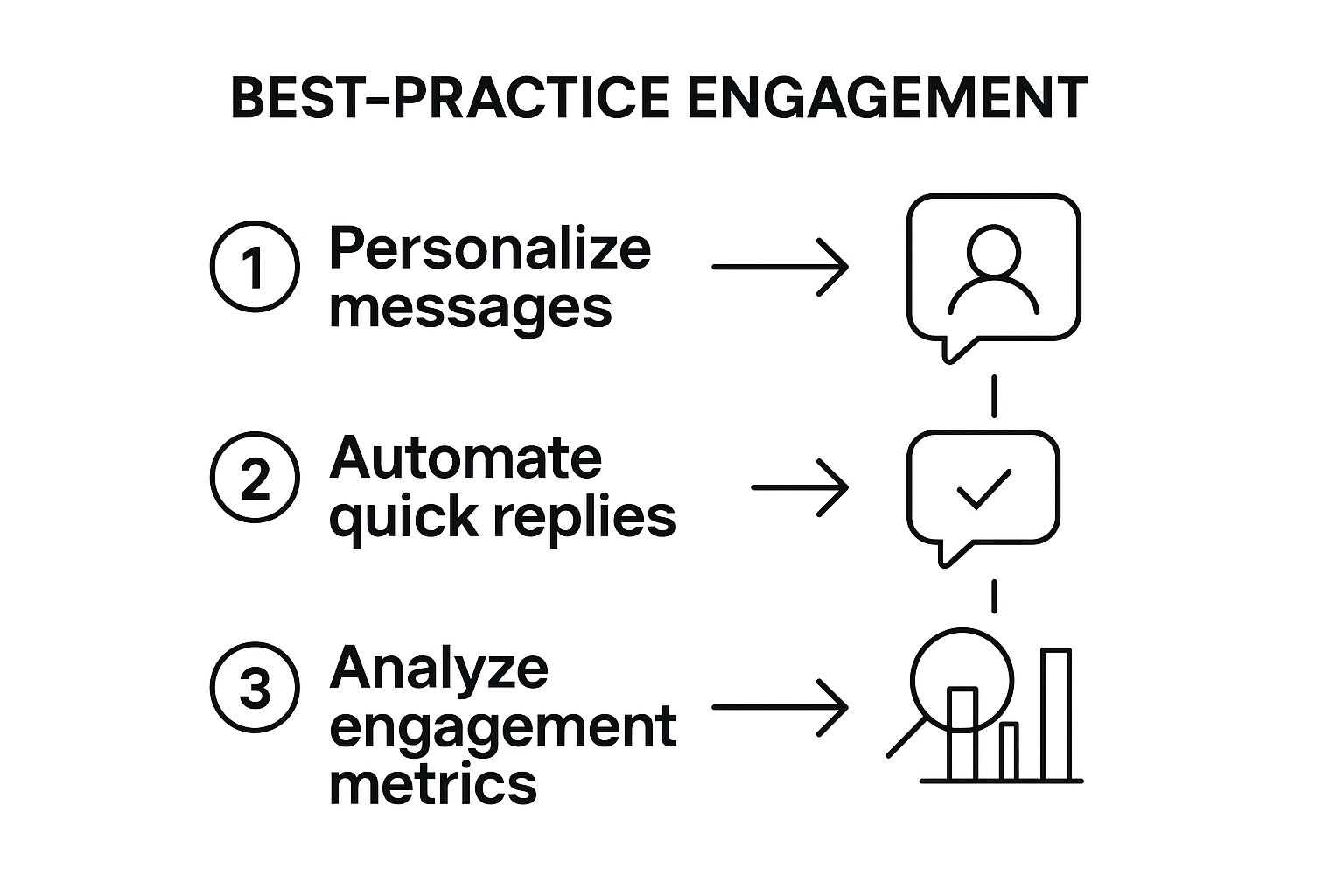
Think of it as a continuous cycle. A great bot isn't something you just build and forget; you have to keep tweaking and refining it based on how people use it.
Your Step-by-Step Build Plan
Getting your bot live is just a few manageable steps away. The secret is to start small. Don't try to build a bot that can do everything; focus on solving one specific problem for your customers.
-
Connect Your Facebook Page: First up, sign up for a platform like ManyChat. It will ask for permission to connect to your business's Facebook Page. This is usually just a couple of clicks—you log in with your Facebook account and pick the page you want to automate. This link is what lets the bot see and reply to messages.
-
Design a Welcome Message: This is your bot's first handshake. It needs to be friendly, clear, and tell the user exactly what it can do for them. A solid welcome message sets the right expectations from the get-go. Something like, "Hi! Welcome to [Your Brand]. I'm our virtual assistant. How can I help you today?" works perfectly.
-
Create Your First Conversation Flow: Now for the fun part: building the conversation. Think about the top three questions you get asked all the time. Let’s say they’re about opening hours, your location, and the services you offer. You can simply add three buttons to your welcome message: "Our Hours," "Find Us," and "Our Services."
-
Build Out the Replies: Behind every button is an answer. When someone clicks "Our Hours," the bot should reply with a message stating your business hours. A click on "Find Us" could send your address and a handy link to Google Maps. It's this simple, rule-based logic that makes a bot so incredibly effective.
The goal of your first bot isn’t to be perfect; it's to be useful. A bot that reliably answers just three common questions is infinitely more valuable than a complex one that fails to help. This is your "minimum viable bot."
Once you’ve mapped this out, you can test it right inside the platform to make sure every button goes to the right place. For some extra tips on getting things set up, you might want to check out our detailed article on launching your first . With these steps, you can get a genuinely helpful bot up and running in less than an hour, all without writing a single line of code.
Connecting Your Chat Bot to Your Business Tools
A standalone Facebook chat bot is a great start. It can answer questions and keep users engaged, no doubt. But the real game-changer is when your bot stops being an isolated island and starts talking to the other software you use to run your business every day. This connection, known as integration, turns your bot from a simple assistant into the central hub of your digital operations.
Think of it like this: your bot is fluent in "Messenger," but your CRM speaks "HubSpot," and your calendar only understands "Google Calendar." On their own, they can't communicate. This is where integration platforms like Zapier or Make step in. They act as universal translators, building a bridge that allows all your different tools to share information automatically.
This seamless flow of information is what separates a good bot from a truly great one. It completely gets rid of the soul-destroying task of manually copying and pasting details from a Messenger chat into a spreadsheet or your CRM. The bot just handles it all for you, instantly.
Creating Automated Workflows
The real magic begins when you start building automated workflows. These are essentially simple "if this happens, then do that" recipes that link your bot's conversations to actions in your other software. The possibilities are practically endless, but here are a few real-world examples to get your gears turning.
- Lead Capture to CRM: A potential customer messages your page, and the bot figures out they're a hot lead. The second the bot gets their email, a workflow can instantly create a new contact in your CRM (like Salesforce or HubSpot), assign them to a sales rep, and add a note about what they asked.
- Instant Appointment Booking: A client wants to book a call. The bot can pull up your live availability directly from Google Calendar. Once the client picks a time, the bot confirms it and automatically creates the event in your calendar, sending invites to everyone involved.
- E-commerce Order Updates: A customer inevitably asks, "Where's my order?" Instead of you looking it up, the bot can connect to your Shopify or WooCommerce store, grab the latest tracking info using the customer’s name, and pop it straight into the Messenger chat.
These connections are massive time-savers and pretty much eliminate the risk of human error. No more forgotten leads or double-booked meetings.
An integrated chat bot doesn’t just answer questions; it takes action. It becomes an active participant in your business processes, making sure data flows where it needs to go, exactly when it's needed.
The screenshot below from Zapier shows how you can visually connect thousands of different apps to automate tasks, all without having to write a single line of code.
This drag-and-drop style is the heart of "no-code" automation. It lets you link a trigger (like "New Message in Facebook Messenger") to a specific action (like "Create a new row in Google Sheets").
Choosing the Right Integration Tools
For businesses just dipping their toes into automation, platforms like Zapier are a fantastic place to start. They're known for being user-friendly and support a mind-boggling number of apps. Many chat bot builders, such as ManyChat, also have their own built-in integrations with popular tools, which can make the whole setup even smoother. Our detailed guide on how to implement a chatbot dives into some of these options more deeply.
By plugging your Facebook chat bot into the rest of your tech stack, you create a powerful, efficient system. It ensures those valuable conversations happening in Messenger don't just die there, but instead actively fuel your sales, marketing, and support efforts across the whole business.
Crafting a Bot That People Genuinely Like
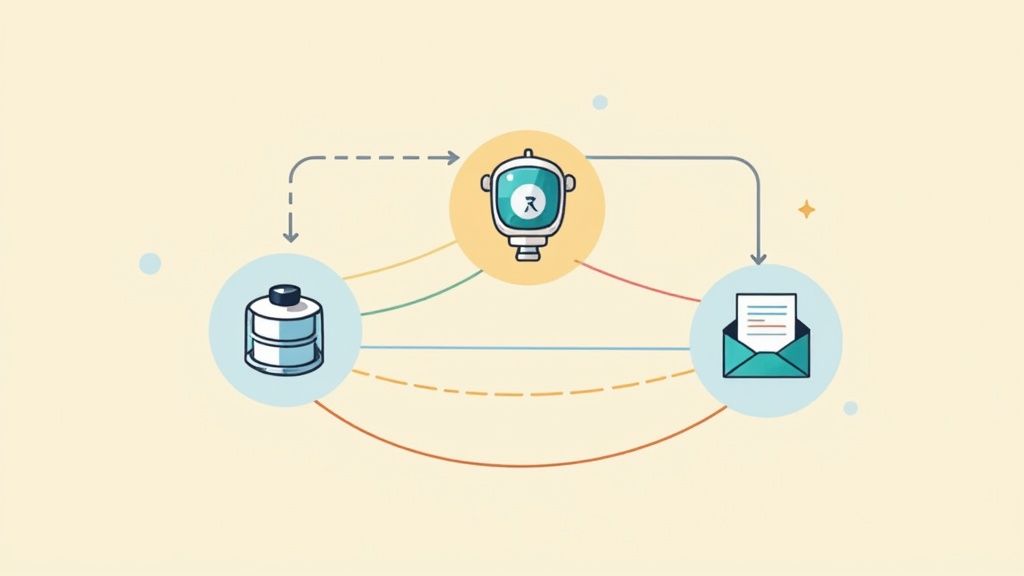
There's a fine line between a helpful chat bot and an infuriatingly robotic one. The secret isn't buried in complex code; it's all about thoughtful design and a human-centric approach. Simply launching a bot isn't the goal. The real win is creating an experience so smooth and helpful that your customers actually enjoy using it.
This journey begins with a surprisingly human touch: personality. Your bot is often the first point of contact, a digital front door to your brand. So, its tone of voice needs to feel right. Are you a playful, casual brand or a more buttoned-up, professional one? Giving your bot a consistent personality makes the conversation feel less like interacting with a machine and more like a natural chat.
H3: Keep the Conversation Flowing
The number one rule in bot design? Clarity. No one should ever feel stranded or confused about what to do next. The easiest way to nail this is by keeping messages short and sweet. Guide users with clear buttons and quick reply options instead of hitting them with a wall of text.
Think of it like a breadcrumb trail. Each message is a small, easy step that moves the user closer to their goal, whether that's tracking an order or asking a question. This structured, bite-sized approach is what makes the whole experience feel easy and intuitive.
A bot that tries to do everything will likely fail at everything. Focus on doing a few key things exceptionally well. Prioritise solving your users' most common problems first, and you'll create an experience they genuinely value.
H3: Be Honest and Have a Human Backup Plan
Let's be clear: transparency is everything. Always state upfront that the user is talking to a bot. Trying to fool someone into thinking they're chatting with a human is a fast track to broken trust and a genuinely bad experience.
Just as crucial is providing an easy out. No bot is perfect, and some conversations—especially sensitive or complex ones—need a real person. Make sure a "Talk to a Human" button is always visible and easy to find. This seamless handoff to your team is essential. For a closer look at building these pathways, our guide on how to train a chatbot offers some great pointers.
To help you get started, here's a quick cheat sheet for designing your bot's interactions.
Chat Bot Design Best Practices
| Do | Don't |
|---|---|
| Give your bot a clear name and personality. | Pretend your bot is a human. |
| Use buttons and quick replies for guidance. | Write long, dense paragraphs of text. |
| Offer a clear way to speak to a person. | Trap users in a confusing loop. |
| Focus on solving a few core problems well. | Try to make the bot answer every possible question. |
| Regularly review conversations to find issues. | Launch it and forget about it. |
Following these simple guidelines can make a world of difference in how people perceive your bot and, by extension, your brand.
H3: The Never-Ending Quest for Improvement
Your bot's launch day is just the beginning. The final, and most critical, part of the process is to constantly test, learn, and refine. Watch how people actually use your bot. Where do they get stuck? What questions does it fail to answer? This feedback is gold.
This cycle of tweaking and improving is what elevates a bot from just "good" to "great." Regularly dive into the conversation logs and listen to what your users are telling you, both directly and indirectly. A well-designed Facebook chat bot isn't a static tool; it's a living part of your team that evolves with your customers' needs, becoming more valuable over time.
Got Questions About Facebook Chat Bots? We've Got Answers
Stepping into the world of chat bots can feel like a big move. It’s totally normal to have questions swirling around about how much it’ll cost, whether you need to be a tech whiz, and what it all means for your team.
Let's clear the air and tackle the most common questions head-on, so you can feel confident about getting started.
How Much Will a Facebook Chat Bot Set Me Back?
The investment can range from nothing at all to a few hundred pounds a month, and it all comes down to what you need. Most of the top bot platforms have free starter plans that are brilliant for dipping your toes in the water and managing a small number of contacts.
Once you start growing, you’ll find that paid plans usually kick in at around £15-£25 per month. From there, the price generally scales with the number of subscribers you have and whether you need more powerful features, like connecting your bot to other business systems.
Do I Need to Know How to Code to Build One?
Not a chance. This is one of the biggest myths out there. Gone are the days when you needed a developer on standby. Modern bot-building tools are made for everyone, with visual drag-and-drop editors that make the whole process feel more like putting together a flowchart than writing code.
Honestly, if you can map out a simple conversation or build a presentation slide, you've got all the technical skill you need. It’s all about designing a good chat, not about programming.
Is a Bot Going to Make My Customer Service Team Redundant?
Think of a bot more like a super-efficient assistant, not a replacement. Its real power is in handling the flood of simple, repetitive questions that come in day and night. It gives customers instant answers to common queries and acts as a first line of defence for your team.
This frees up your people to focus on the tricky, high-stakes conversations where a human touch really matters—the situations that call for real empathy and problem-solving. The magic happens when bots and humans work together, with a smooth handover process for when things get complicated. For a deeper dive into this, check out our guide on building a smarter AI chatbot.
At Voicetta, we build AI communication tools that make sure you never miss a chance to connect with a customer. Our bots are on the clock 24/7, handling routine chats and calls so your team can focus on what they do best. See how we can help you grow at https://voicetta.com.
Was this useful?
If this article helped, add Voicetta as a preferred source in Google Search. Your results can then highlight our writing.
Add as preferred source