

Use evaluations to check whether an agent handled a conversation the way you expected. You define the criteria; Voicetta checks completed calls and WhatsApp/SMS threads against them.
Summary
- Create a criterion such as Stay booked and describe what counts as success.
- Choose which agents should use it.
- Voicetta grades new calls and text threads as Pass, Fail, or Not applicable.
- Each result includes a short reason.
- Optional recovery messages can follow up when a Guest starts but does not finish a process.
- Optional disconnect follow-up can nudge a Guest after an incomplete voice call.
- For personal-inbound agents, owner notification can SMS the business owner when a message was collected but not sent during the call.
Why it matters for your business
- Save money: catch missed bookings and incomplete conversations before they turn into lost revenue.
- Work faster: replace manual call reviews with automated grading across calls, WhatsApp, and SMS.
- Standardize service: define clear criteria so every agent handles Guests the same way.
- Delight every Guest: recovery and disconnect follow-ups help Guests finish what they started when a conversation stalls.
- Keep the owner informed: when someone leaves a message for you, Voicetta can deliver it to your notification number even if the voice call ended early and the Guest continued by SMS.
Configuration
Open AI Evaluations from the main menu, then:
- Click the gear icon to open Evaluation settings. Set the text grading delay, recovery limits, and disconnect follow-up.
- Click Add Evaluation.
- Add a short title and describe the behavior you expect.
- Choose which agents should use the evaluation.
- If needed, enable recovery follow-up.
- Save the evaluation.
For example:
- Title: Stay booked
- Description: Each time the Guest wanted to book a stay, the agent completed the booking.
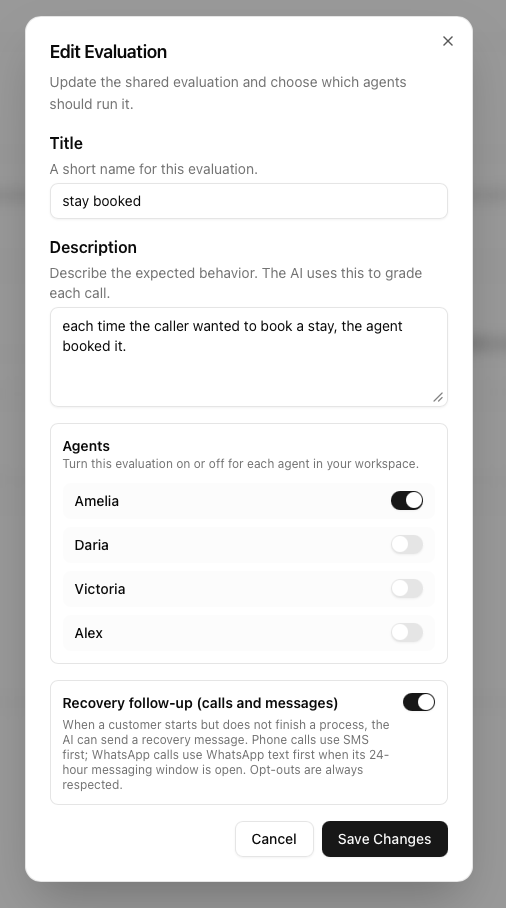
Evaluations belong to the workspace, but you enable them per agent. The switch on the evaluation list applies to the agent currently selected. Agent badges show where each evaluation is active.
Evaluation settings
Open AI Evaluations → gear icon (/evaluations/settings). These settings apply to the whole workspace:
- Text thread grading delay: 0–60 minutes after the latest WhatsApp or SMS message. Set it to 0 to grade on the next processing cycle.
- Max per text thread: 1–5 recovery messages. Default: 1.
- Max per voice call: 1–5 recovery messages. Default: 1.
- Max per Guest per day: 1–10 recovery messages across calls and text threads in 24 hours. Default: 1.
- Disconnect follow-up: enable + custom prompt for incomplete voice calls (separate from evaluation pass/fail).
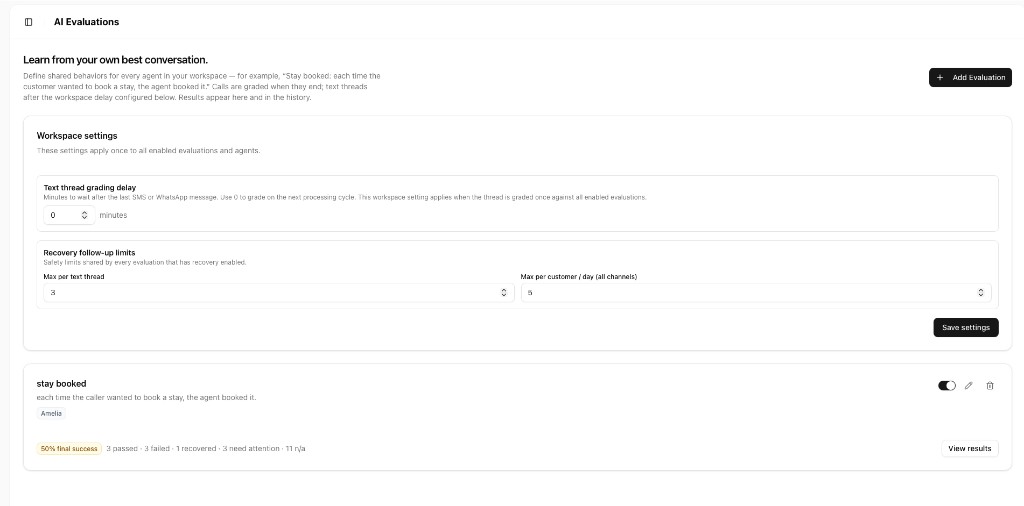
The recovery limits are shared by all evaluations with recovery enabled. They are not set separately for each evaluation. Disconnect follow-up shares the same per-call and daily send caps. Owner notifications go to your owner number and do not use those Guest caps.
How grading works
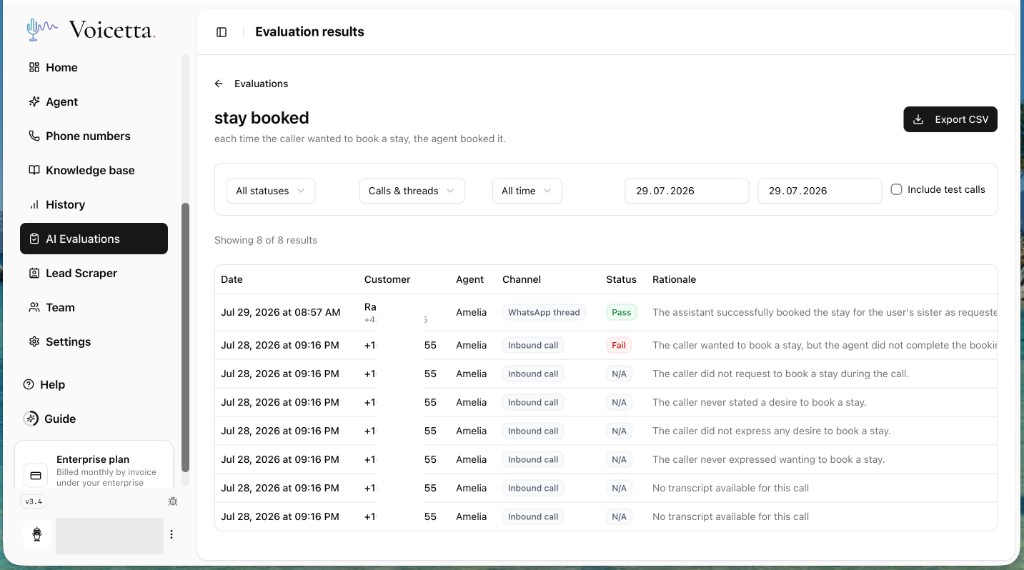
Voicetta checks the transcript against every evaluation enabled for that agent. The result is:
- Pass: the agent showed the expected behavior whenever it was relevant.
- Fail: the situation occurred, but the agent did not meet the criterion.
- Not applicable: the situation did not occur, or a call had no usable transcript.
Each result includes a short explanation. Grading uses the transcript only; it does not affect the conversation, saving, or billing.
Calls and text threads
Voice calls
Calls are graded when they end. Test calls and browser widget calls can be graded, but they do not trigger recovery messages.
WhatsApp and SMS
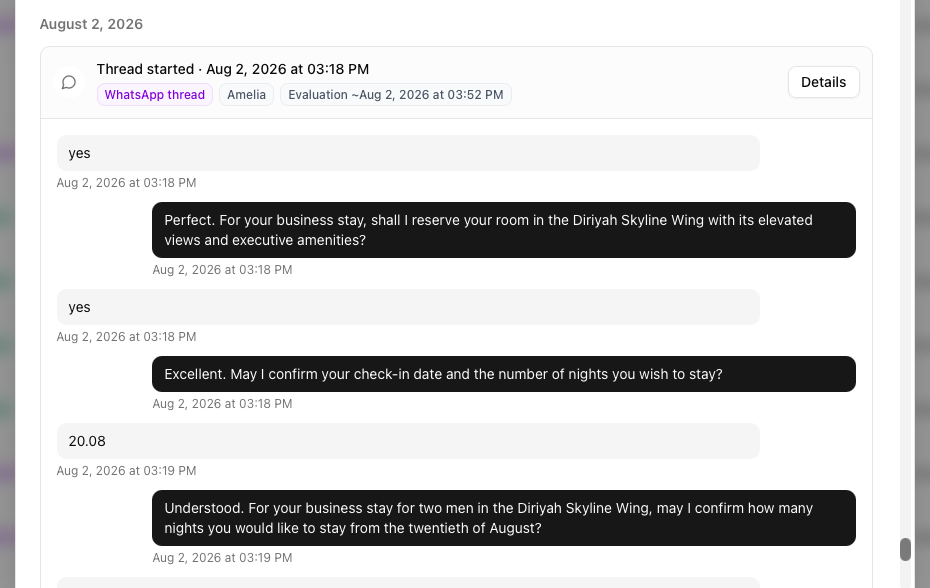
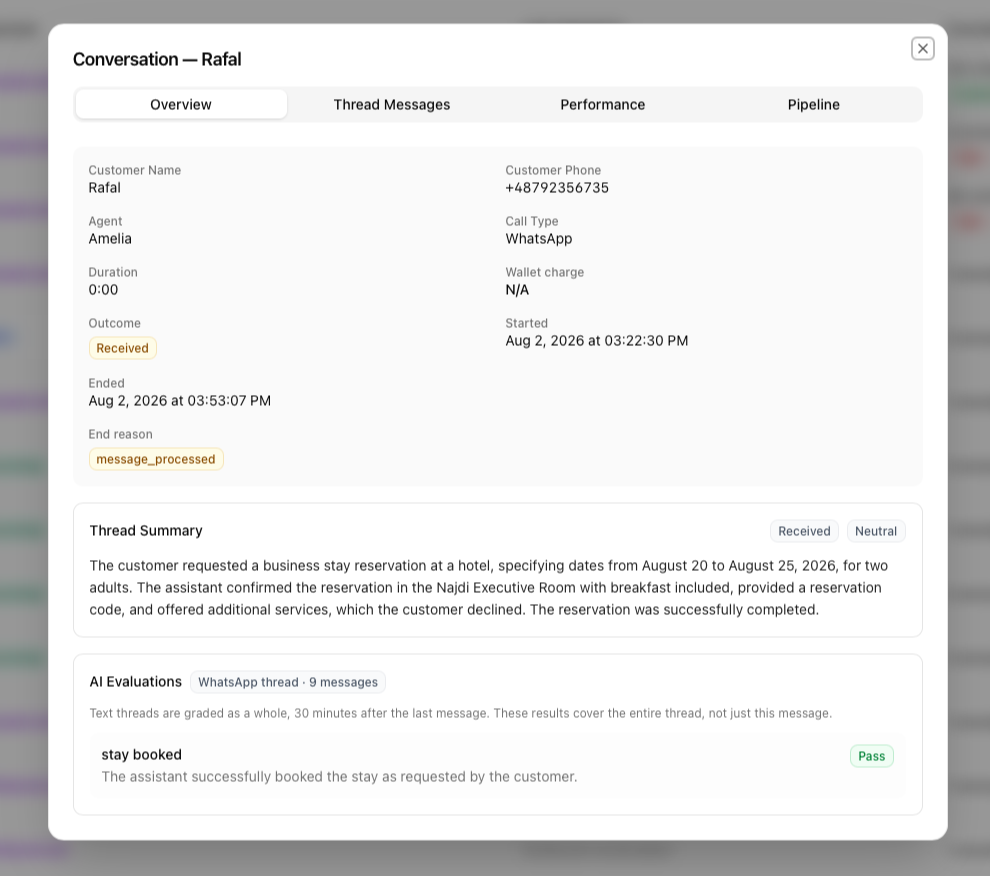
Messages are grouped into threads. Voicetta grades the full thread after the configured delay from the latest message. Until then, the thread shows the planned evaluation time.
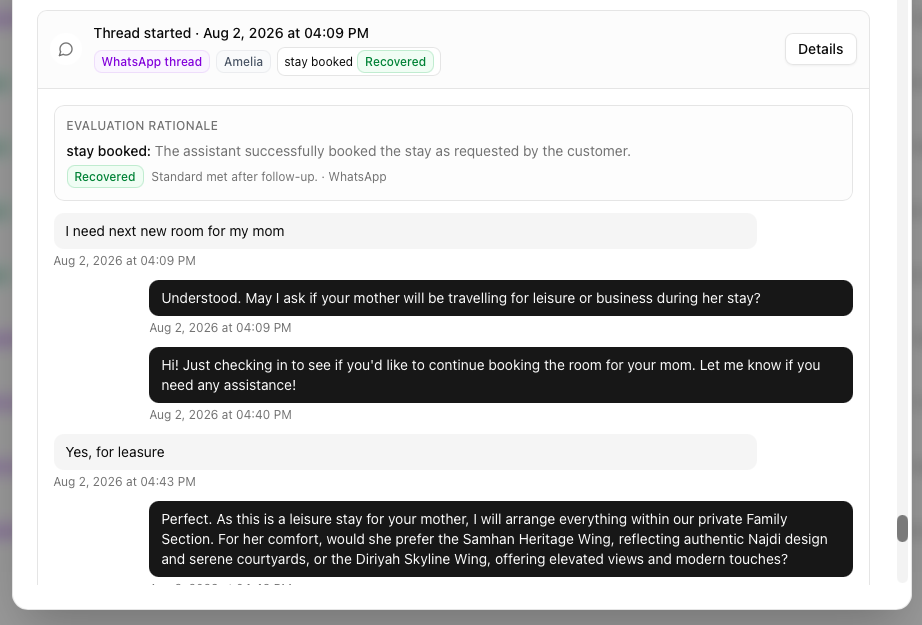
If the Guest replies later, the thread opens again and is re-graded. A previous Fail can become Pass. Text thread details also include a short thread summary.
Who receives which follow-up SMS
Use this table when configuring personal-inbound or recovery behavior:
| Message type | Goes to | Purpose |
|---|---|---|
| Recovery follow-up | Guest (caller) | Help finish an incomplete process after an evaluation Fail |
| Disconnect follow-up | Guest (caller) | Nudge after an incomplete or hung-up voice call |
Owner notification / mid-call send_sms_notification | Owner (sms_notification_number in Business settings) | Deliver the message the Guest left for the owner |
Recovery and disconnect never send to the owner number. Owner summaries never send to the Guest as a substitute for owner delivery.
Recovery follow-up
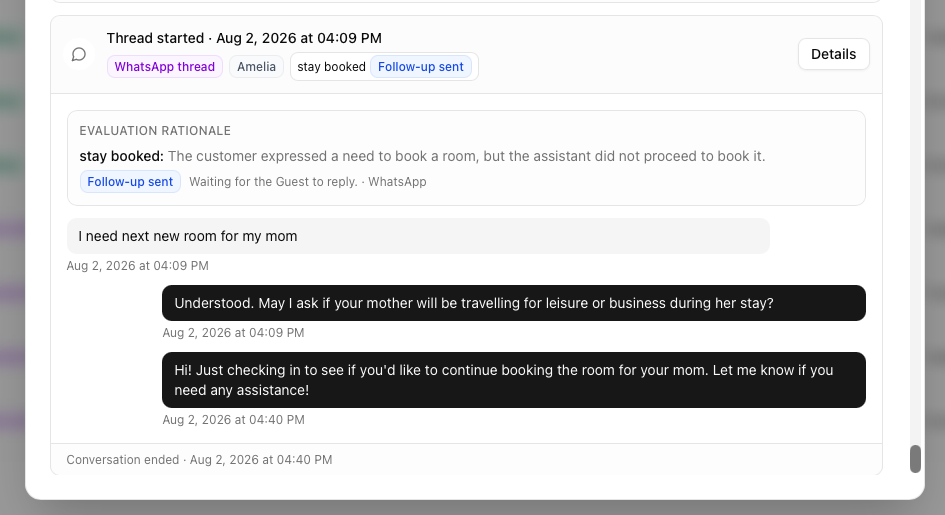
Enable recovery for evaluations where a Guest can start a process but leave it unfinished, such as an abandoned booking. Voicetta sends a short message in the Guest's language and stays within the workspace limits.
The channel depends on the conversation:
- Phone call: SMS first. WhatsApp is used only when the Guest has opened the 24-hour WhatsApp messaging window with a recent inbound message.
- WhatsApp voice call: WhatsApp first when the messaging window is open; otherwise SMS.
- WhatsApp/SMS thread: follow-up continues in the available text channel.
A WhatsApp voice call does not open the WhatsApp text window by itself.
Recovery messages are not sent when the Guest has opted out, and they never claim that an unfinished action was completed.
Recovery statuses
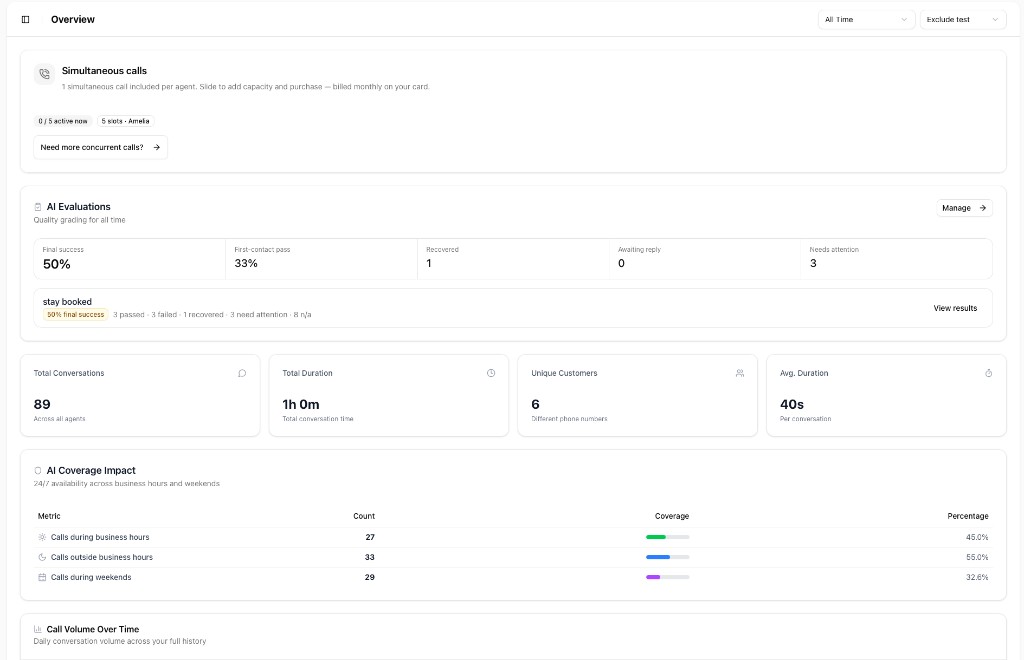
- First-contact pass: the criterion was met without a follow-up.
- Recovered: the first result was Fail, but the Guest completed the process after a follow-up.
- Awaiting reply: a follow-up was sent and Voicetta is waiting for the Guest.
- Needs attention: the issue is still unresolved.
- Final success: the criterion was met either on first contact or after recovery.
The first result remains visible after recovery, so managers can distinguish an immediate success from a recovered conversation.
Disconnect follow-up
Disconnect follow-up is a workspace setting (not an evaluation criterion). When enabled with a prompt, Voicetta can SMS or WhatsApp the Guest after a voice call that hung up early, stayed mostly silent, or never made the purpose clear.
Configure it under AI Evaluations → gear icon (Evaluation settings).
- Uses your prompt for both the send decision and the message wording (for example: invite them to call or text back, in a calm five-star tone).
- Goes to the caller, not the owner.
- Skipped when a recovery follow-up or owner notification was already sent for that call.
- Shares the same per-call and daily recovery send limits.
- Does not change Pass / Fail rates.
- Voice calls only in the current release (not WhatsApp/SMS threads).
Example prompt idea: follow up only when the Guest hung up, purpose is unclear, or they did not finish speaking; otherwise do not send.
Owner notification
For personal-inbound agents (prompts that include send_sms_notification), Voicetta can notify the business owner when someone leaves a message.
Set the destination in Settings → Business as sms_notification_number.
During a live call
The agent can call send_sms_notification after collecting a meaningful note. That SMS goes only to sms_notification_number.
After the call or text thread
If the Guest hangs up before the mid-call SMS is sent, or continues by SMS/WhatsApp instead, Voicetta can still deliver the owner summary after processing:
- Guest calls and hangs up → optional disconnect follow-up may nudge the Guest.
- Guest continues by SMS or WhatsApp and leaves the message for the owner.
- After the thread is graded (or the voice call is enriched), owner notification sends the summary to
sms_notification_number.
Owner notification is skipped when:
- the mid-call tool already sent successfully,
sms_notification_numberis missing,- the transcript has no meaningful note for the owner,
- an owner notification was already recorded for that call or thread.
This keeps Guest nudges and owner delivery separate: the Guest is not used as a stand-in for the owner inbox.
Results and reporting
Results are available in four places:
- Overview: final success, first-contact pass, recovered conversations, and items that need attention for the selected period.
- AI Evaluations: pass rates and result counts for each evaluation, with individual results and CSV export.
- History: the result and explanation for each criterion in the conversation details.
- Guest timeline: the result appears directly on each conversation card.

Important limitations
- Evaluations apply only to conversations that end after the evaluation is created and enabled.
- Existing conversations are not graded retroactively.
- A result depends on the available transcript. Voicetta does not guess when a usable transcript is missing.
- WhatsApp follow-ups must stay within the 24-hour messaging window.
- Owner notification requires an inbound prompt that includes
send_sms_notificationand a configuredsms_notification_number.